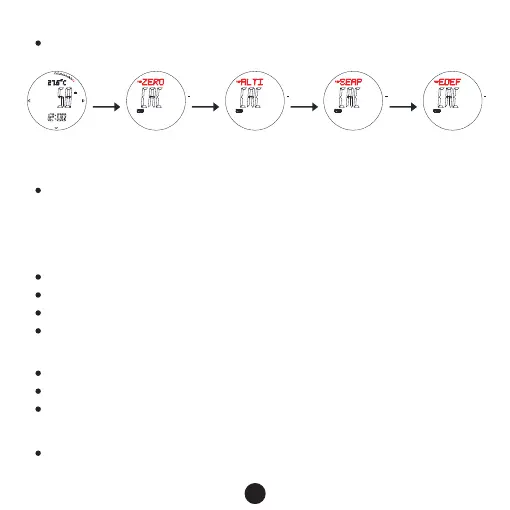
Altitude setting
Display temp. adjust pressure Adjust humidity
Adjusting humidity
Reset
B B B B
Relative altitude setting(ZERO)
Press E/C to shift“YES”/“NO”,when it is YES, that means the relative altitude is 0,
when NO, that means use the default value(work out according to default sea level
atmosphere1013.25mb). If choose “Yes”, the measurement result is relatively, and the (r)
will occur on screen.
Input your current altitude
Input sea level atmosphere value(SEAP)
Factory default sea level atmospheric pressure value(FDEF)
Input your current altitude(ALTI)
Press E to increase the value, press and hold E to advance quickly.
Press C to decrease the value, press and hold C to decrease quickly
Press button B for 2s to confirm, return to altitude measurement mode
Press E to increase the value, press and hold E to advance quickly.
Press C to decrease the value, press and hold C to decrease quickly
Press button B for 2s to confirm, return to altitude measurement mode
10
Press button B for 2s to enter altitude setting mode,press B to move and set the following
items
Press E/C to shift“YES”/“NO”,when it is YES, that means use the default value
1013.25mb



 To Next Page