- 11 -
Hold B
key for
3s
Alarm Mode
B key
Hour Minute
Hold B key for 2s
Alarm setting
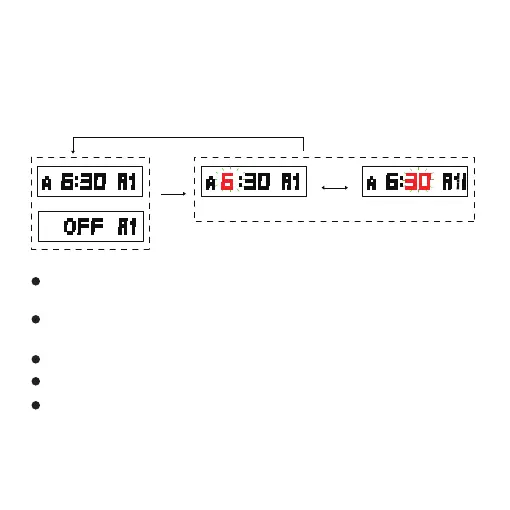
In alarm 1 to alarm 5 modes, hold down the B key for 3 seconds
to enter the setting mode, press the B key to select the setting
item, the order shown below:
Press D key to increase the value, hold down D key to increase the
value quickly.
Press D key to increase the value, hold down D key to increase the
value quickly.
During the setting, press B key for 2s to confirm and return to alarm mode.
It will return to alarm clock mode if no any key operation in one minute.
If the alarm is turned ON, it will alarm for 20 seconds and the alarm
time will flash when reach alarm time. Press any key to stop alarm.
If the alarm is turned ON, it will alarm for 20 seconds and the alarm
time will flash when reach alarm time. Press any key to stop alarm.



 To Next Page