- 8 -
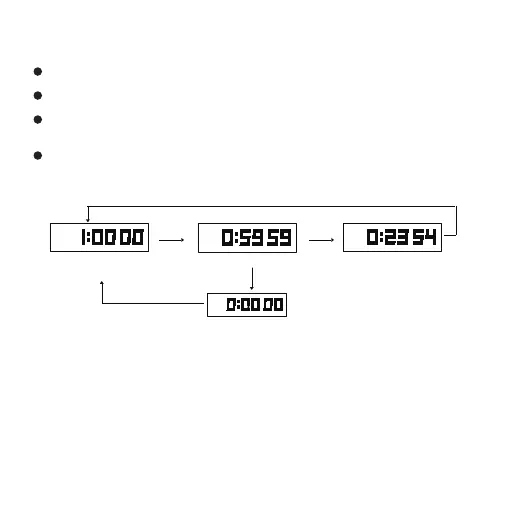
Countdown Start
Countdown to "0"
Stop
D key
After alarm
D key
Hold C key for 3s
2.4 Countdown Mode
Countdown range :99 hours 59 minutes 59 seconds
In countdown function mode, click D to start or stop
When the countdown stops, hold down the C key and value
flash for 3 seconds, then return the set value
When the countdown time reaches "0:0000", it will ring for 10
seconds, press any key to stop the alarm and the countdown time
will automatically return to the set value
Note: When battery power is low, system prohibits alarm automatically,
there will be no alarm sound when countdown to “0”, at the same time,
the low battery power icon L level will flash for 10 seconds.
Countdown Setting:
When the countdown stops, hold down the B key for 3 seconds to
enter the countdown setting, press the B key to select the
adjustment item, the order is as follow:



 To Next Page