- 17 -
Normal time
Hour hand
adjustment
Minute hand
adjustment
Hold A
key for
2s
Hold A
key for
1s
B key
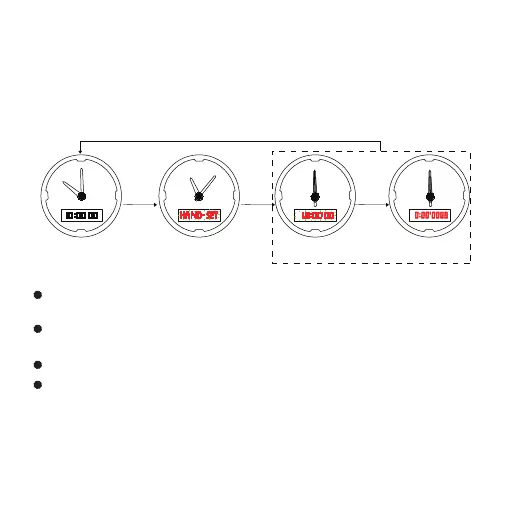
Hands Correction
When the hand time is inconsistent with the digital display time,
the following method can be used to correct it.
In normal time mode, hold down the A key for 3 seconds to enter
hands correction at 12:00 state.
Press the D key to adjust the hand to forward one step, hold down
the D key for quick adjustment, release the D key to stop
Press the C key to adjust the hand back 1 step, hold down the C key
for quick adjustment, release the C key to stop.
Press the B key to convert the hour hand or minute hand.
Adjust the hand to 12:00 and press the A key to confirm, the
hand time will automatically synchronize with the digital time.
Note: When battery power is low, the system prohibits hands
correction function. In normal time mode, hold A key and there
is low power icon L level flash for 5 seconds, can’t enter hands
correction mode.
N
S
W
E
N
S
W
E
N
S
W
E
N
S
W
E
Press the D or C key to adjust hands to 12H
A key



 To Next Page