- 12 -
Showing 1.5
seconds in turn
Showing 1.5
seconds in turn
Showing 1.5
seconds in turn
Look backward
the time zone
Current time zone Look forward
the time zone
D key
C key
D key
Hold A
key for 3s
D key
World Time
A key
Daylight Saving Time ON Daylight Saving Time OFF
C key
2.6World Time Mode
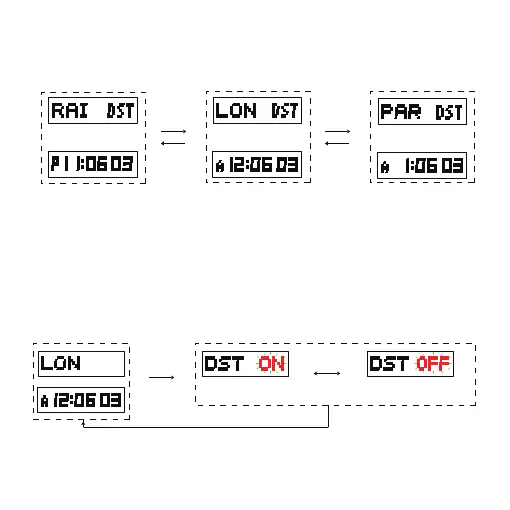
In world time mode, press the C or D key to view different city
time as shown below:
Daylight saving time ON and OFF:
In world time mode, press and hold the A key for 3 seconds to
enter daylight saving time setting mode, press the D key to turn
ON or OFF daylight saving time as shown below:
Hold down the D or C key to quickly change the time zone
It will return to world time mode automatically if no any key operation
in one minute.



 To Next Page