Memory Card Installation 2.1
This cameras supports memory card as local storage, you can follow
the steps to mount and unmount the memory card.
Steps:
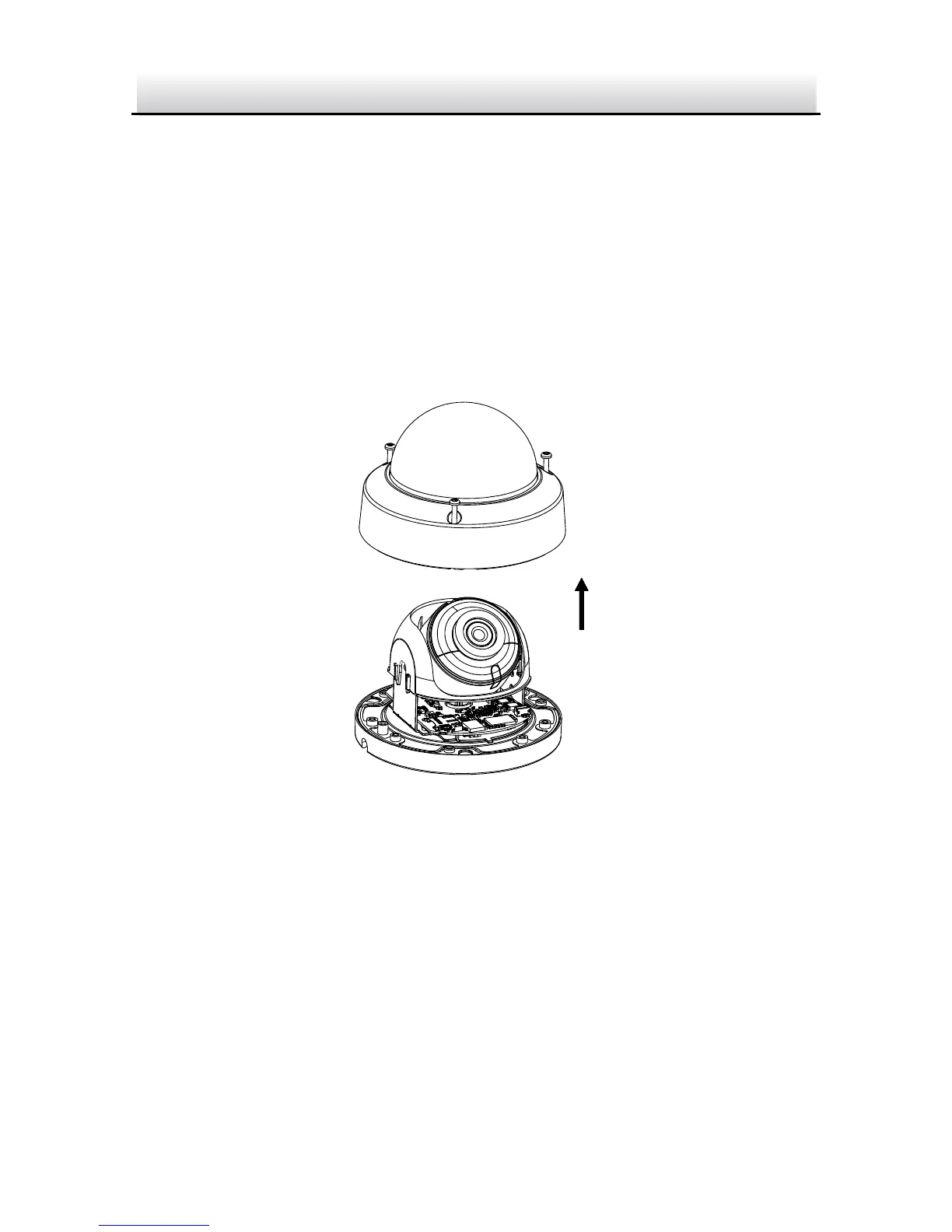
1. Loosen the screws on the bubble. Remove the bubble to expose
the memory card slot.
Remove Bubble Figure 2-1
Notes:
● Screws on bubble cannot be unscrewed completely in order to
prevent dropping or loss.
● The bubble is fastened to the camera with a safety rope.
2. Find the memory card slot to insert the memory card.


 To Next Page