EasyManua.ls Logo

Northern IP4DIR100 - Page 19

Northern IP4DIR100
43 pages
Print Icon
To Next Page IconTo Next Page
To Previous Page IconTo Previous Page
Loading...
IP4DIR100 Series IP Dome Camera · Quick Start Guide
18
18
3. Unscrew the bubble of the camera.
4. (Optional) Insert the memory card to the camera, if your camera
supports memory card installation. Refer to Section 2.1.
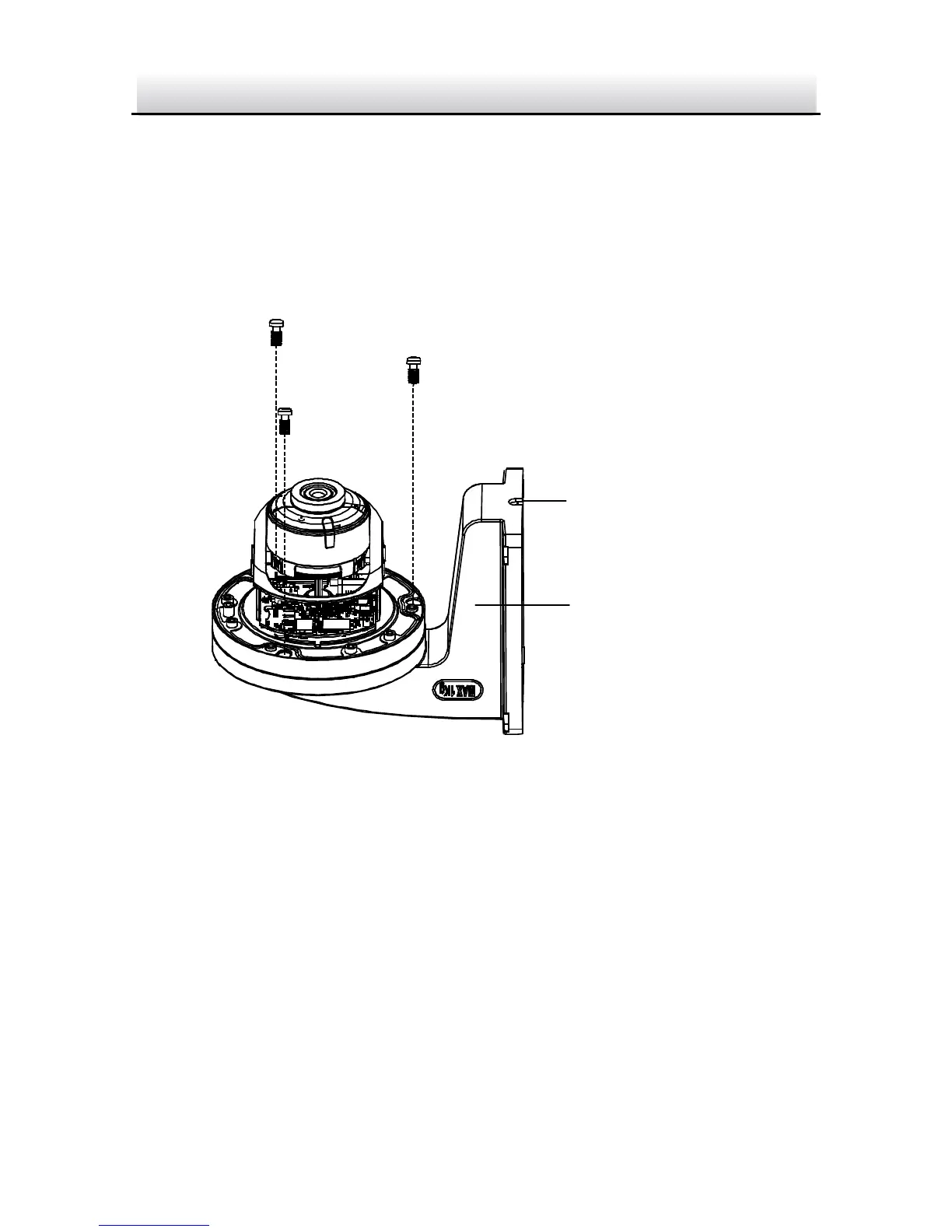
5. Route the cables and fix the camera to the cap of the wall
mounting bracket with three supplied self-tapping screws.
Wall Mounting
Bracket
Cable Hole
Fix the Camera to Indoor WM110 Wall Mounting Bracket Figure 2-9
6. Align the wall mounting bracket to the screw holes and fix it to
wall.
Note:
If you install the camera in outdoor, install the waterproof jacket
to the network cable. See Section 2.4.

Related product manuals