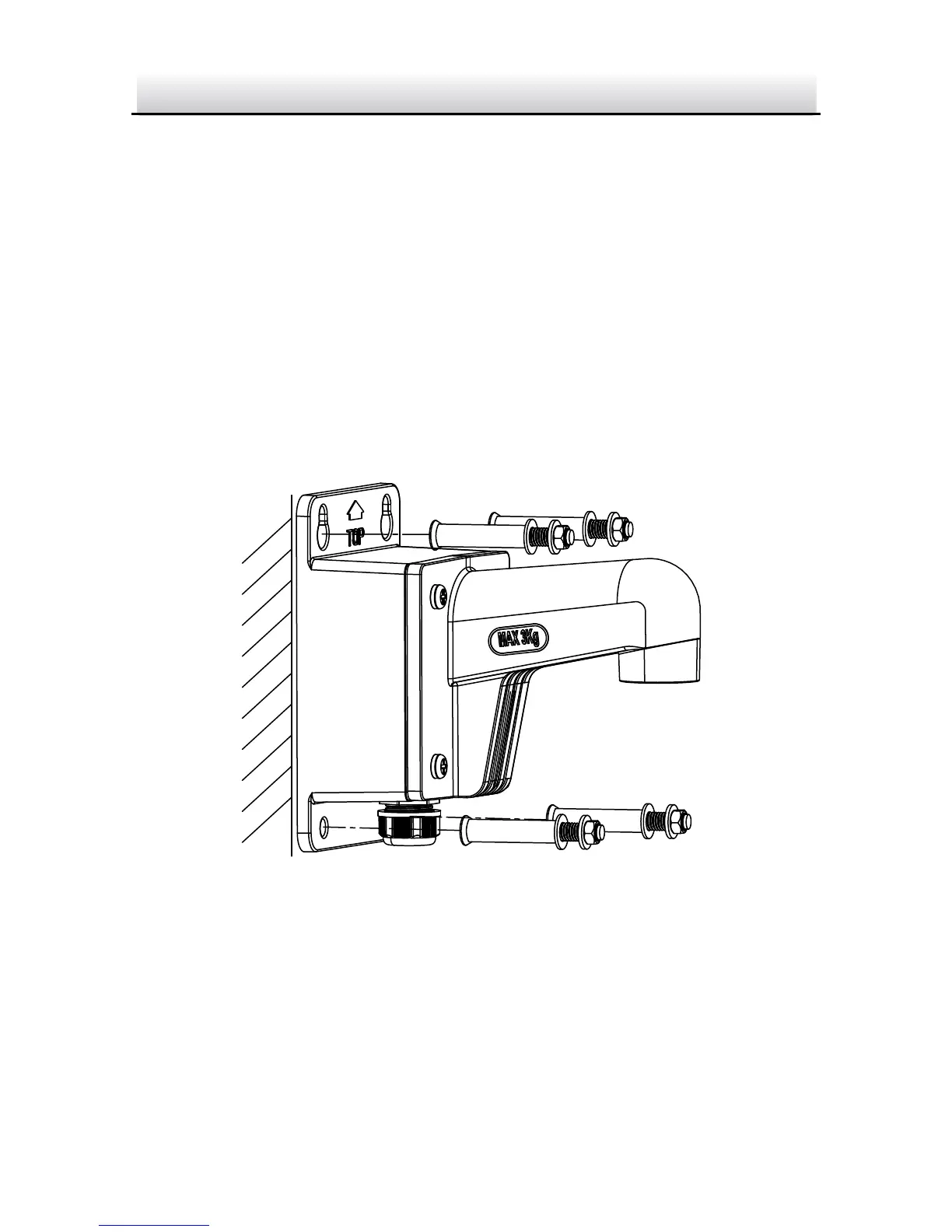
2.3.1 Wall Mounting with Outdoor WMTS Junction Box
The WMTS outdoor wall mounting bracket with junction box is not
included in the package. You need to purchase one separately, if you
adopt this mounting type. You will also need to purchase the DPC110
Pendent cap to complete installation with the WMTS.
Steps:
1. Mark the screw holes on desired mounting place.
2. Fix the bracket to the wall with four expansion bolts.
Fix the Outdoor WMTS Bracket Figure 2-12
3. Unscrew the junction box cover.


 To Next Page