EasyManua.ls Logo

Northern IP4DIR100 - Page 27

Northern IP4DIR100
43 pages
Print Icon
To Next Page IconTo Next Page
To Previous Page IconTo Previous Page
Loading...
IP4DIR100 Series IP Dome Camera · Quick Start Guide
26
26
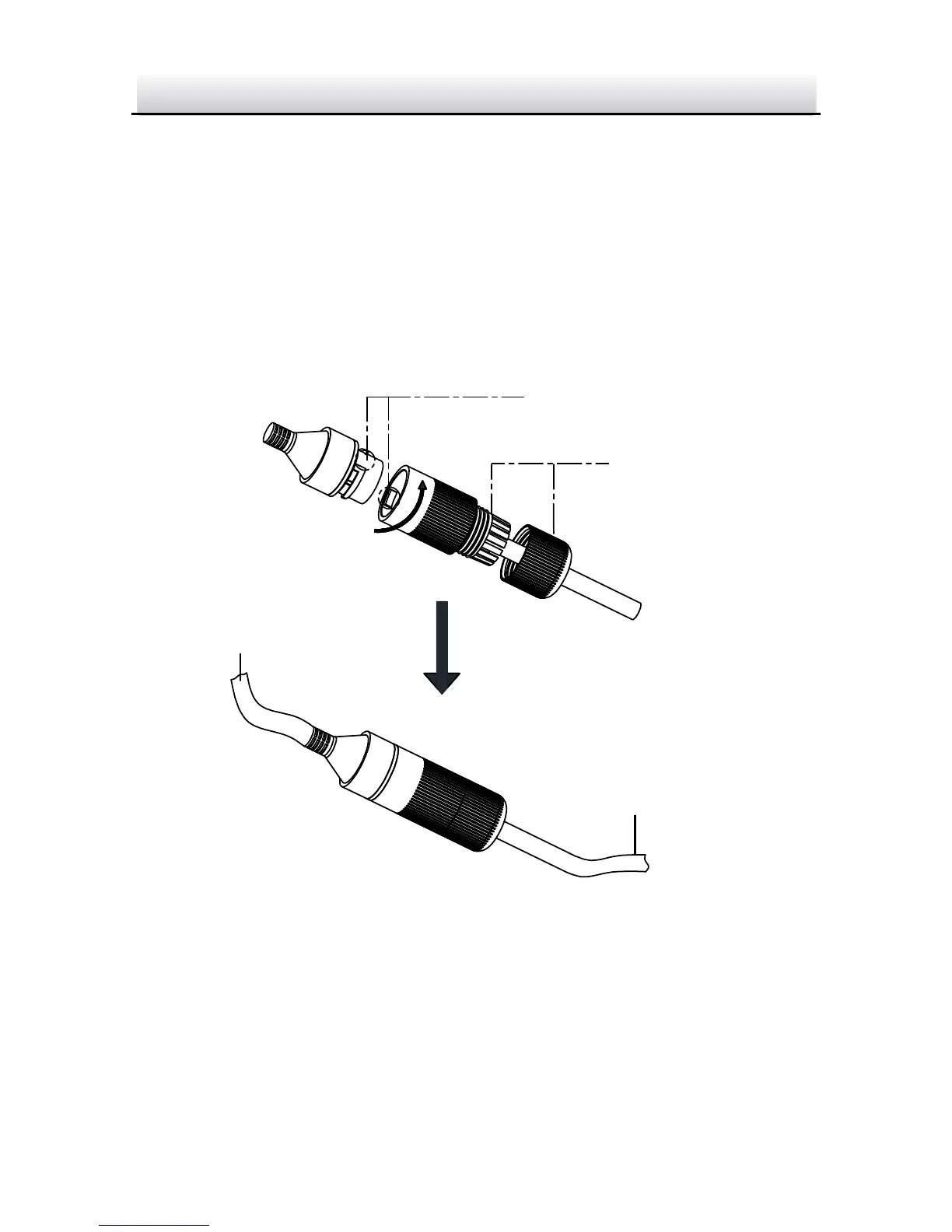
Insert the waterproof rubber gasket into the waterproof 5.
endcap , and secure lock nut with the waterproof
endcap .
Align the snap on the waterproof endcap with the notch on 6.
the cameras network interface socket , and then secure the
waterproof endcap to the cameras network interface
socket to finish installation.
Camera
Switch/Router
Align the snap and notch.
i. Insert into .
ii. Secure with .
Waterproof Accessory Installation Figure 2-18

Related product manuals