15Northtstar Explorer VHF Series: 710US, 710EU Operation and Installation Manual
2-5-2 Local Time (TIME OFFSET)
The local time can be set by entering the time off set between UTC and local time as follows.
1. Select GPS/DATA, then SETTING.
2. Select TIME OFFSET to enter the diff erence between UTC and local time. Half hour increments can be
used with a maximum off set of ±13 hours.
In this example, a diff erence of +1.5 hours has been entered and the local time is displayed with the
suffi x LOC.
Z
A
B
C D F
G
H
I
N
O
P
Q
R
S
T
U
W
E
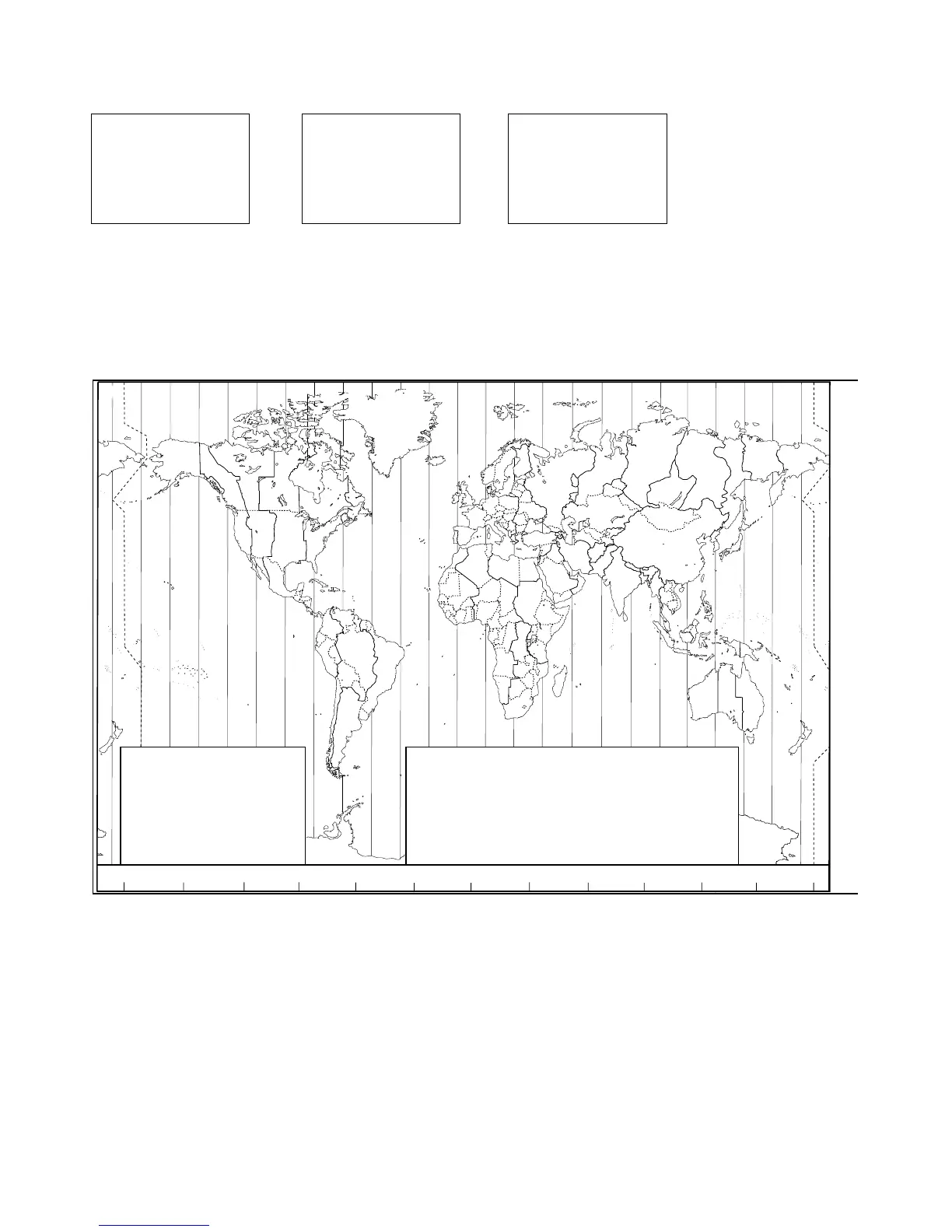
STANDARD TIME ZONES
Corrected to January 2005
Zone boundaries are approximate
Daylight Saving Time (Summer Time),
usually one hour in advance of Standard
Time, is kept in some places
Map outline © Mountain High Maps
Compiled by HM Nautical Almanac Office
Z
A
B
C
C*
D
D*
E
0
+1
+2
+3
+330
+4
+430
+5
E*
F
F*
G
H
I
I*
+530
+6
+630
+7
+8
+9
+930
K
K*
L
L*
M
M*
M†
+10
+10 30
+11
+11 30
+12
+13
+14
N
O
P
P*
Q
R
S
-1
-2
-3
-330
-4
-5
-6
T
U
U*
V
V*
W
X
Y
-7
-8
-830
-9
-930
-10
-11
-12
h
h
h
hh
m
m
m
m
m
No Standard Time legally adopted
‡
Standard Time = Universal Time + value from table
V
X
K
L
P
Q
Q
R
V
U
T
S
R
Q
P*
T
S
A
A
Z
B
C
Z
A
B
B
B
C
S
S
S
R
H
I*
K
K
M
M
‡
‡
H
H
H
I
K
E
F
G
E
D
*
*
*
*
C
C
D
F
G
H
D
E
F
H
I
G
C
D
D
E
K
L
M
Z
Z
P
N
0°
30°E
60°E
90°E
120°E
150°E
30°W
60°W
90°W
120°W
150°W
180°
180°
M
N
N
O
O
Z
Z
Z
C
D
D
E
F
E
*
E
*
F
*
K
L
*
*
L
L
M
M
Q
O
Q
A
S
U
W
V
*
A
Y
M
L
M Y
P
K
H
M
X
X
W
W
X
M*
W
M
*
M
*
M
M
L
F
M
Z
M
†
K
I
D
F
G
I
I
I
K
L
L
P
Z
International Date Line
International Date Line
WORLD MAP OF TIME ZONES
R
C
B
B
A
P
R
I
H
P
C
GPS/DATA
MANUAL
>SETTING
GPS/DATA
> TIME OFFSET
TIME FORMAT
TIME DISPLY
TIME OFFSET
>+01:30
02:30PM LOC


 To Next Page