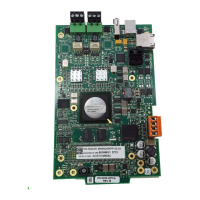
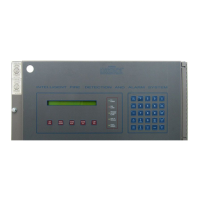
9. Set the HS-NCM parameters as needed and click “Update”
on a network. Once connected to an FACP, the HS-NCM will evaluate the network programming of the fire panel and set
NCA-2 can not monitor any events that occur on the HS-NCM.
Addresses:
IP - Network address associated with the HS-NCM.
Default to all zeros when in repeater mode. Not user-
modifiable
MAC - Factory-set identification code for the HS-NCM. Not
user-modifiable.
Port A Mode:
For HS-NCM-MF, HS-NCM-SF and HS-NCM-MFSF:
Port A Mode is not applicable for Fiber ports. Port A Mode
will automatically be configured as “Fiber” and can not be
user modified.
For HS-NCM-W:
Port A Mode will be automatically configured to the “To
Port B” setting and must be connected to a wire port on the
next HS-NCM that is configured in “To Port A” mode.
For HS-NCM-WMF and HS-NCM-WSF:
Port A Mode is automatically configured to the “To Port B”
mode, but can be user modified to the “To Port A” setting if
the connection must be made to a wire port that is already
set in the “To Port B” mode.
Port B Mode:
For HS-NCM-MF, HS-NCM-SF and HS-NCM-MFSF:
Port B Mode is not applicable for Fiber ports. Port B Mode
will automatically be configured as “Fiber” and can not be
user modified.
For HS-NCM-W:
Port B Mode will be automatically configured to the “To
Port A” setting and must be connected to a wire port on the
next HS-NCM that is configured in “To Port B” mode.
For HS-NCM-WMF and HS-NCM-WSF:
Port B Mode is not applicable for Fiber ports. Port B Mode
will automatically be configured as “Fiber” and can not be
user modified.
Port A VDSL Speed: (Wire Only)
Bandwidth speed for voice transmissions for port A. This
applies for wire ports only. Available options are 3 Mb, 6
Mb, 12 Mb (default), or 24 Mb. Not user-modifiable.
Port B VDSL Speed: (Wire Only)
Bandwidth speed for voice transmissions for port B. This
applies for wire ports only. Available options are 3 Mb, 6
Mb, 12 Mb (default), or 24 Mb. Not user-modifiable.


 To Next Page
 Loading...