Taurus Series Multimedia Players
TB4 Specifications
3 Hardware Structure
3.1 Appearance
3.1.1 Front Panel
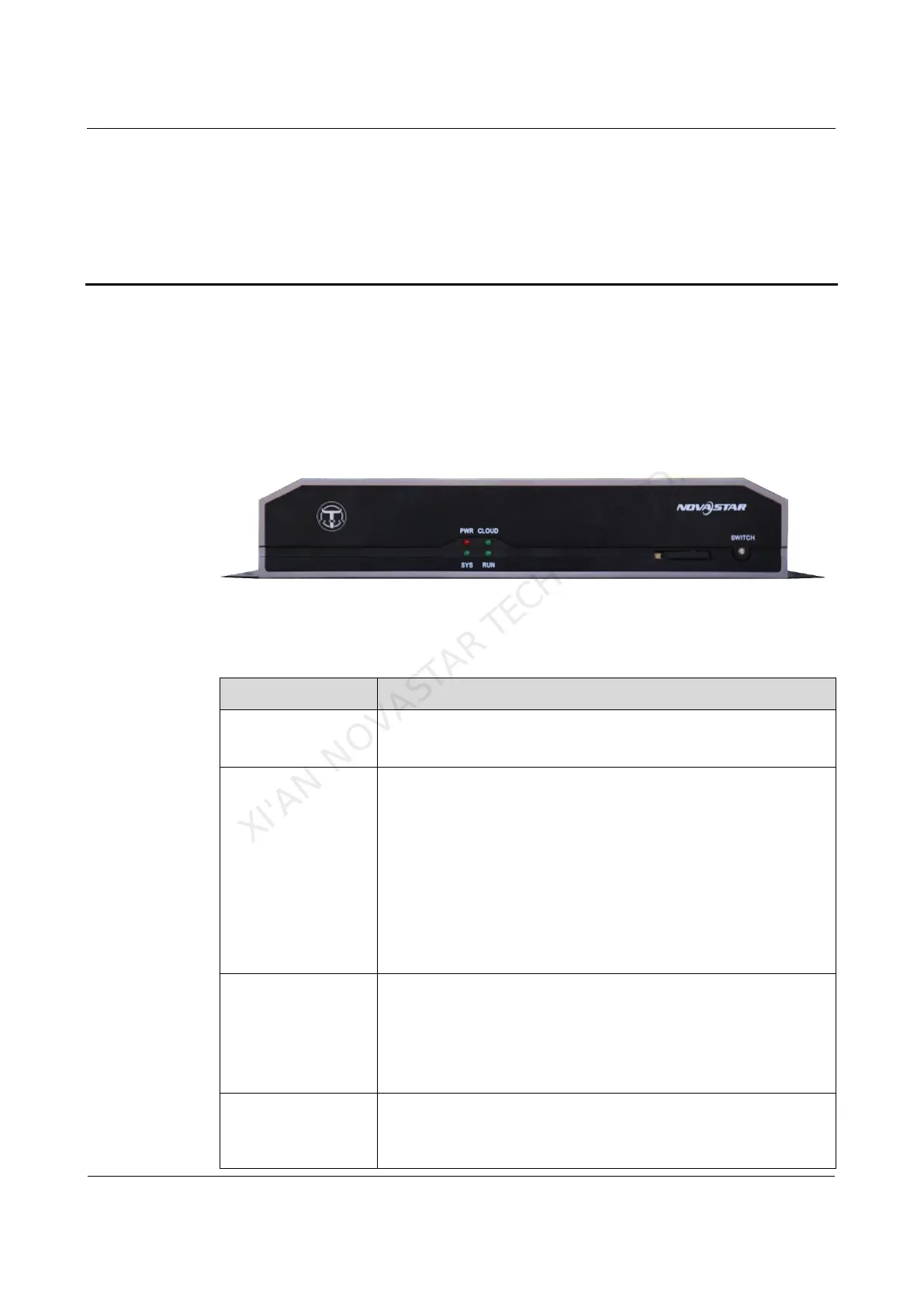
Figure 3-1 Front panel of the TB4
Note: All product pictures shown in this document are for illustration purpose only.
Actual product may vary.
Table 3-1 Description of TB4 front panel
Always on: Power input is normal.
Flashing once every other 2 seconds: The system is
operating normally.
Flashing once every other second: The system is installing
the upgrade package.
Flashing once every other 0.5 second: The system is
downloading data from the Internet or copying the upgrade
package.
Always on/off: The system is operating abnormally.
Internet connection status indicator
Always on: The unit is connected to the Internet and the
connection status is normal.
Flashing once every other 2 seconds: The unit is
connected to VNNOX and the connection status is normal.
Same as the signal indicator status of the sending card:
FPGA is operating normally.
XI'AN NOVASTAR TECH CO.,LTD.



 To Next Page