EasyManua.ls Logo

Novatel MiFi 7000 - User Manual

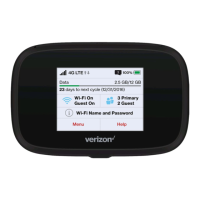
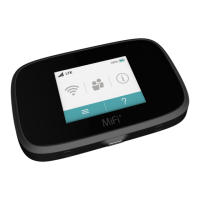
Novatel MiFi 7000
88 pages
Print Icon
To Next Page IconTo Next Page
Loading...
user guide
OVERVIEW
USING YOUR MiFi’s TOUCHSCREEN
MANAGING YOUR MiFi
MANAGING YOUR ADMIN WEBSITE
PRODUCT SPECS AND REGULATORY
GLOSSARY
7000
TROUBLESHOOTING

Table of Contents

Other manuals for Novatel MiFi 7000

Question and Answer IconNeed help?

Do you have a question about the Novatel MiFi 7000 and is the answer not in the manual?

Summary

Overview of Your MiFi 7000

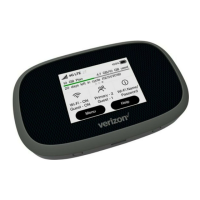
About Your MiFi 7000

Identifies and describes the physical components and ports of the MiFi 7000 device.

Status Indicators

Explains the meaning of various icons displayed on the MiFi 7000 screen and their status.

Power Management

Details on charging the MiFi 7000 and using it to charge other devices.

Using Your MiFis Touchscreen

Connecting to Your MiFi

Steps to connect Wi-Fi enabled devices to the MiFi mobile hotspot for internet access.

Managing Your MiFi Using the Touchscreen

Wi-Fi

Manage Wi-Fi settings, including network selection and password.

Managing Your MiFi Admin Website

Accessing the MiFi Admin Website

Instructions on how to connect to and access the MiFi's web-based administration interface.

Changing Your MiFi Admin Password

Steps to change the password used for accessing the MiFi admin website settings.

Managing Connected Devices

View, edit, and block devices connected to your MiFi via the admin website.

Checking Data Usage

View current estimated data usage and access links to My Verizon and data calculator.

Troubleshooting

Common Problems and Solutions

Guides to resolve common issues like unexpected power off, factory resets, and connectivity problems.

Product Specifications and Regulatory Information

Safety Hazards

Important warnings regarding operating the MiFi in hazardous environments, near medical equipment, or on aircraft.

Summary

Overview of Your MiFi 7000

About Your MiFi 7000

Identifies and describes the physical components and ports of the MiFi 7000 device.

Status Indicators

Explains the meaning of various icons displayed on the MiFi 7000 screen and their status.

Power Management

Details on charging the MiFi 7000 and using it to charge other devices.

Using Your MiFis Touchscreen

Connecting to Your MiFi

Steps to connect Wi-Fi enabled devices to the MiFi mobile hotspot for internet access.

Managing Your MiFi Using the Touchscreen

Wi-Fi

Manage Wi-Fi settings, including network selection and password.

Managing Your MiFi Admin Website

Accessing the MiFi Admin Website

Instructions on how to connect to and access the MiFi's web-based administration interface.

Changing Your MiFi Admin Password

Steps to change the password used for accessing the MiFi admin website settings.

Managing Connected Devices

View, edit, and block devices connected to your MiFi via the admin website.

Checking Data Usage

View current estimated data usage and access links to My Verizon and data calculator.

Troubleshooting

Common Problems and Solutions

Guides to resolve common issues like unexpected power off, factory resets, and connectivity problems.

Product Specifications and Regulatory Information

Safety Hazards

Important warnings regarding operating the MiFi in hazardous environments, near medical equipment, or on aircraft.

Novatel MiFi 7000 Specifications

General IconGeneral
ModelMiFi 7000
ManufacturerNovatel
Device TypeMobile Hotspot
CategoryWireless Router
Wi-Fi Standard802.11ac
Wi-Fi BandsDual-band
Wi-Fi Frequency2.4 GHz and 5 GHz
Max Wi-Fi Users15
Maximum Devices Supported15
Battery Capacity4400 mAh
Battery LifeUp to 24 hours
Network TypeLTE
BatteryLithium-ion
DisplayColor touchscreen
External Antenna PortsYes
USBUSB Type-C
Operating Temperature-10°C to 45°C
Storage Temperature-20°C to 60°C

Related product manuals