EasyManua.ls Logo

Novatel MIFI M100 - User Manual

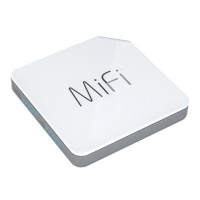
Novatel MIFI M100
95 pages
Print Icon
To Next Page IconTo Next Page
Loading...
user guide
GETTING STARTED
USING YOUR MiFi M100
MiFi M100 WEB UI
MiFi APP
TROUBLESHOOTING
PRODUCT SPECIFICATIONS
REGULATORY INFORMATION
GLOSSARY
M100

Table of Contents

Question and Answer IconNeed help?

Do you have a question about the Novatel MIFI M100 and is the answer not in the manual?

Summary

Getting Started

Overview

Introduces the MiFi M100 device and its key features for new users.

Package Contents

Lists all items included in the MiFi M100 product package.

System Requirements

Outlines the necessary computer and browser requirements for using the MiFi M100.

Components

Identifies and describes the physical parts and indicators of the MiFi M100.

Power Management

Explains battery charging and power source usage for the MiFi M100.

Caring for Your MiFi M100

Provides guidelines for handling and maintaining the MiFi M100 device.

Using Your MiFi M100

4 G LTE Speed

Details the broadband speeds and performance of the MiFi M100 with 4G LTE.

Using Your MiFi M100 for the First Time

Step-by-step guide for initial setup and first-time use of the MiFi M100.

Charging the Battery

Instructions on how to properly charge the MiFi M100's battery.

Replacing the Battery

Guide on how to safely remove and replace the MiFi M100 battery.

Replacing the 4 G LTE SIM Card

Instructions for removing and installing the 4G LTE SIM card in the MiFi M100.

Battery Tips

Advice and warnings for safe and effective battery usage, care, and disposal.

Power the MiFi M100 On and Off

Explains the procedure for turning the MiFi M100 device on and off.

Connecting to Your MiFi M100

Guides users on connecting Wi-Fi enabled devices to the MiFi M100 network.

Managing Your MiFi M100

Introduces methods for monitoring usage and managing the MiFi M100 via software interfaces.

MiFi M100 Web UI

Accessing and Navigating the MiFi M100 Web UI

How to access and navigate the web interface for MiFi M100 configuration and management.

Logging In

Step-by-step instructions for logging into the MiFi M100 Web UI with admin credentials.

Navigating the MiFi M100 Web UI

Explains how to use the menu panel within the MiFi M100 Web UI.

MiFi M100 Home Dashboard

Overview of the main dashboard, displaying device status and quick access links.

Connected Devices

Lists and details all Wi-Fi devices connected to the MiFi M100.

Editing a Connected Device

Instructions on how to rename or change the icon for a connected device.

Changing the Maximum Number of Connected Devices

Guide to adjust the limit for concurrent Wi-Fi device connections.

Blocking and Unblocking Devices

How to disconnect and prevent devices from reconnecting to the network.

Data Usage

Details on setting data counters and usage thresholds for the MiFi M100.

Wi-Fi Hotspot

Configuration for the Wi-Fi network name, security, and broadcast settings.

Device Settings

Settings for device preferences, password, and backup/restore.

Mobile Settings

Configuration for mobile network, APN, and SIM unlock.

Advanced

Access to advanced network features like firewall, MAC filter, and port forwarding.

Customer Support

Information on accessing user guides and contacting support for the MiFi M100.

About MiFi M100

Displays detailed device information, software versions, and modem status.

The MiFi App

Overview

Introduces the MiFi App for mobile monitoring and management of the MiFi M100.

Installing the MiFi App

Steps to download and install the MiFi App on Apple and Android mobile devices.

Setting Up Your Account

Guide on creating a MiFi App account with email and password.

Logging In

Instructions for logging into the MiFi App using existing account credentials.

MiFi App Dashboard

Describes the main app screen showing network status, data, and connected devices.

Displaying the Wi-Fi Password

How to view the Wi-Fi network password within the MiFi App.

Viewing Connected Devices

How to view devices connected to the MiFi M100 via the app.

Account Settings

Access to user info, password change, and logout options within the app.

Changing Your Account Password

Steps to change the password for the MiFi App account.

Logging Out

Procedure for exiting the MiFi App.

MiFi App Menu

Access to app menu for Wi-Fi, roaming, advanced settings, and device info.

Wi-Fi Network Settings

App options to view and manage Wi-Fi network name and broadcasting.

Roaming Settings

How to enable or disable domestic roaming using the MiFi App.

Advanced Settings

Access to the full MiFi M100 Web UI for advanced configuration via the app.

Device Info

Displays detailed MiFi M100 device information through the app.

Help

Provides links to reference documents and customer support contact info.

Troubleshooting

Overview

Discusses common issues and initial steps for resolving MiFi M100 problems.

Common Problems and Solutions

Addresses frequent issues like power-off, Web UI access, and factory resets.

Technical Support

Guidance on contacting service providers and finding device information for assistance.

Product Specifications and Regulatory Information

Product Specifications

Details general info, technology, bands, battery, and interface specs of the MiFi M100.

Environmental

Specifies operating temperature, humidity, drop, and ESD resistance for the MiFi M100.

Regulatory Statements

Contains FCC notices, compliance info, and warnings for device operation.

Wireless Communications

Explains properties of wireless communication, including potential data loss.

Limited Warranty and Liability

Outlines the terms of the product's limited warranty and liability.

Safety Hazards

Warnings about operating the device in hazardous environments, near medical equipment, and on aircraft.

Proper Battery Use and Disposal

Guidelines for safe battery handling, usage, and disposal.

Glossary

4 G LTE

Defines Fourth Generation Long Term Evolution, a standard for high-speed wireless data.

Wi-Fi

Wireless Fidelity, systems using the 802.11 standard.

SSID

Service Set Identifier, the name assigned to a Wi-Fi network.

VPN

Virtual Private Network, a secure private network over the public Internet.

DHCP

Explains Dynamic Host Configuration Protocol for assigning temporary IP addresses.

SIM

Subscriber Identification Module card for LTE and GSM networks.

IP Address

Internet Protocol address of a device on an IP network.

Summary

Getting Started

Overview

Introduces the MiFi M100 device and its key features for new users.

Package Contents

Lists all items included in the MiFi M100 product package.

System Requirements

Outlines the necessary computer and browser requirements for using the MiFi M100.

Components

Identifies and describes the physical parts and indicators of the MiFi M100.

Power Management

Explains battery charging and power source usage for the MiFi M100.

Caring for Your MiFi M100

Provides guidelines for handling and maintaining the MiFi M100 device.

Using Your MiFi M100

4 G LTE Speed

Details the broadband speeds and performance of the MiFi M100 with 4G LTE.

Using Your MiFi M100 for the First Time

Step-by-step guide for initial setup and first-time use of the MiFi M100.

Charging the Battery

Instructions on how to properly charge the MiFi M100's battery.

Replacing the Battery

Guide on how to safely remove and replace the MiFi M100 battery.

Replacing the 4 G LTE SIM Card

Instructions for removing and installing the 4G LTE SIM card in the MiFi M100.

Battery Tips

Advice and warnings for safe and effective battery usage, care, and disposal.

Power the MiFi M100 On and Off

Explains the procedure for turning the MiFi M100 device on and off.

Connecting to Your MiFi M100

Guides users on connecting Wi-Fi enabled devices to the MiFi M100 network.

Managing Your MiFi M100

Introduces methods for monitoring usage and managing the MiFi M100 via software interfaces.

MiFi M100 Web UI

Accessing and Navigating the MiFi M100 Web UI

How to access and navigate the web interface for MiFi M100 configuration and management.

Logging In

Step-by-step instructions for logging into the MiFi M100 Web UI with admin credentials.

Navigating the MiFi M100 Web UI

Explains how to use the menu panel within the MiFi M100 Web UI.

MiFi M100 Home Dashboard

Overview of the main dashboard, displaying device status and quick access links.

Connected Devices

Lists and details all Wi-Fi devices connected to the MiFi M100.

Editing a Connected Device

Instructions on how to rename or change the icon for a connected device.

Changing the Maximum Number of Connected Devices

Guide to adjust the limit for concurrent Wi-Fi device connections.

Blocking and Unblocking Devices

How to disconnect and prevent devices from reconnecting to the network.

Data Usage

Details on setting data counters and usage thresholds for the MiFi M100.

Wi-Fi Hotspot

Configuration for the Wi-Fi network name, security, and broadcast settings.

Device Settings

Settings for device preferences, password, and backup/restore.

Mobile Settings

Configuration for mobile network, APN, and SIM unlock.

Advanced

Access to advanced network features like firewall, MAC filter, and port forwarding.

Customer Support

Information on accessing user guides and contacting support for the MiFi M100.

About MiFi M100

Displays detailed device information, software versions, and modem status.

The MiFi App

Overview

Introduces the MiFi App for mobile monitoring and management of the MiFi M100.

Installing the MiFi App

Steps to download and install the MiFi App on Apple and Android mobile devices.

Setting Up Your Account

Guide on creating a MiFi App account with email and password.

Logging In

Instructions for logging into the MiFi App using existing account credentials.

MiFi App Dashboard

Describes the main app screen showing network status, data, and connected devices.

Displaying the Wi-Fi Password

How to view the Wi-Fi network password within the MiFi App.

Viewing Connected Devices

How to view devices connected to the MiFi M100 via the app.

Account Settings

Access to user info, password change, and logout options within the app.

Changing Your Account Password

Steps to change the password for the MiFi App account.

Logging Out

Procedure for exiting the MiFi App.

MiFi App Menu

Access to app menu for Wi-Fi, roaming, advanced settings, and device info.

Wi-Fi Network Settings

App options to view and manage Wi-Fi network name and broadcasting.

Roaming Settings

How to enable or disable domestic roaming using the MiFi App.

Advanced Settings

Access to the full MiFi M100 Web UI for advanced configuration via the app.

Device Info

Displays detailed MiFi M100 device information through the app.

Help

Provides links to reference documents and customer support contact info.

Troubleshooting

Overview

Discusses common issues and initial steps for resolving MiFi M100 problems.

Common Problems and Solutions

Addresses frequent issues like power-off, Web UI access, and factory resets.

Technical Support

Guidance on contacting service providers and finding device information for assistance.

Product Specifications and Regulatory Information

Product Specifications

Details general info, technology, bands, battery, and interface specs of the MiFi M100.

Environmental

Specifies operating temperature, humidity, drop, and ESD resistance for the MiFi M100.

Regulatory Statements

Contains FCC notices, compliance info, and warnings for device operation.

Wireless Communications

Explains properties of wireless communication, including potential data loss.

Limited Warranty and Liability

Outlines the terms of the product's limited warranty and liability.

Safety Hazards

Warnings about operating the device in hazardous environments, near medical equipment, and on aircraft.

Proper Battery Use and Disposal

Guidelines for safe battery handling, usage, and disposal.

Glossary

4 G LTE

Defines Fourth Generation Long Term Evolution, a standard for high-speed wireless data.

Wi-Fi

Wireless Fidelity, systems using the 802.11 standard.

SSID

Service Set Identifier, the name assigned to a Wi-Fi network.

VPN

Virtual Private Network, a secure private network over the public Internet.

DHCP

Explains Dynamic Host Configuration Protocol for assigning temporary IP addresses.

SIM

Subscriber Identification Module card for LTE and GSM networks.

IP Address

Internet Protocol address of a device on an IP network.

Novatel MIFI M100 Specifications

General IconGeneral
BrandNovatel
ModelMIFI M100
CategoryWireless Router
LanguageEnglish

Related product manuals