Novomatics Operation Manual AlphaTackPlus
24
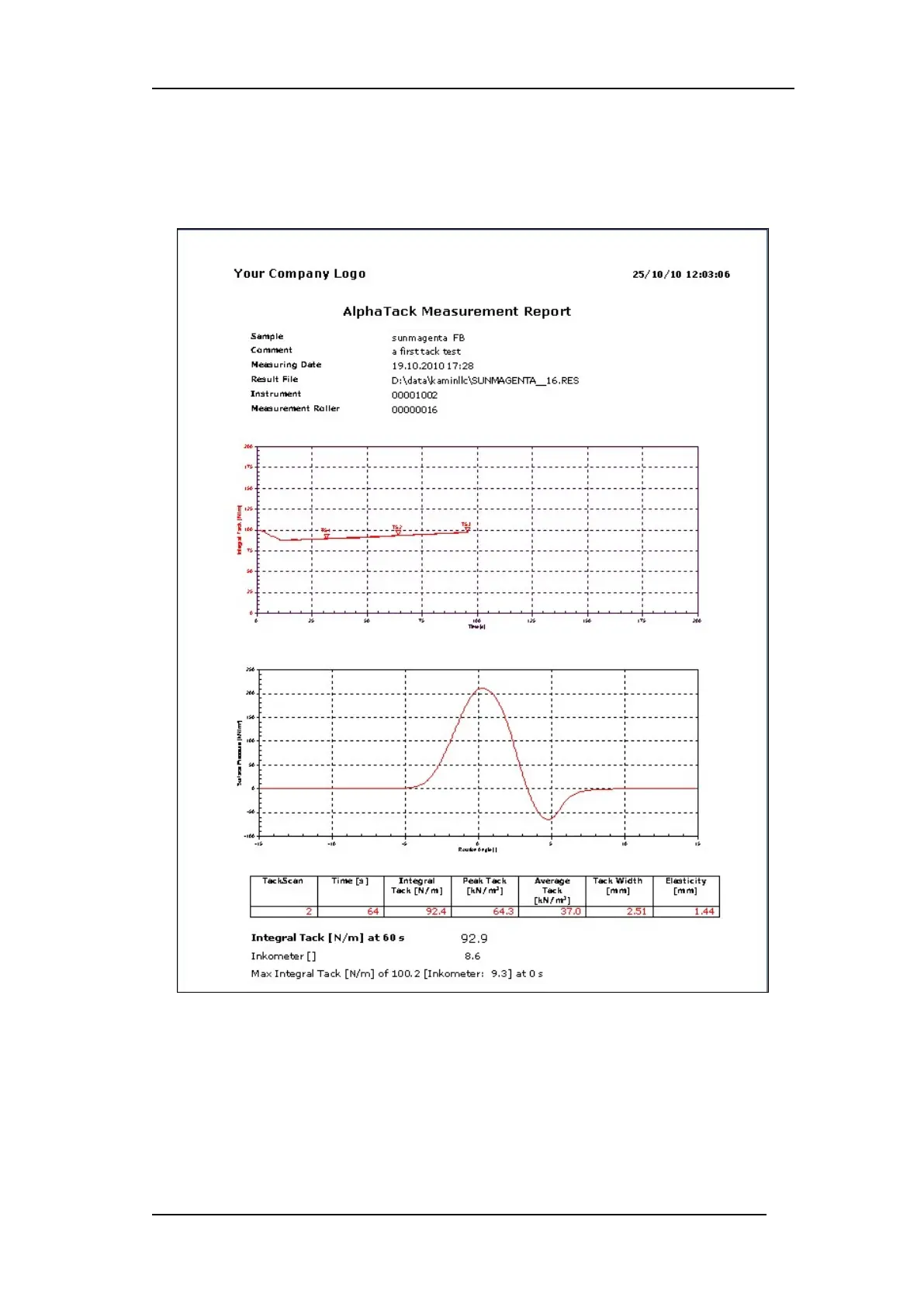
File\Create Reports… for the selection of one or more result files for report creation. Please
note that older reports of same file will be overwritten.
Refer to Option\Report Sheet Interface… for relevant report adjustments.
Figure 14
WinAlphaTack supports a compatibility mode to the instrument geometry of your choice.
Please that testing conditions like, temperature, surface speed and film thickness have to be
equal to the instrument you want to simulate. Please ask Novomatics for further details.
The compatibility is expressed by the parameter y = bx + c of a linear regression line.
Perform a series of test with the instrument that has to be simulated and the AlphaTackPlus.
Use the standard spectrum of expected tack values. Enter the results into an Excel table,


 To Next Page