Pág. 12
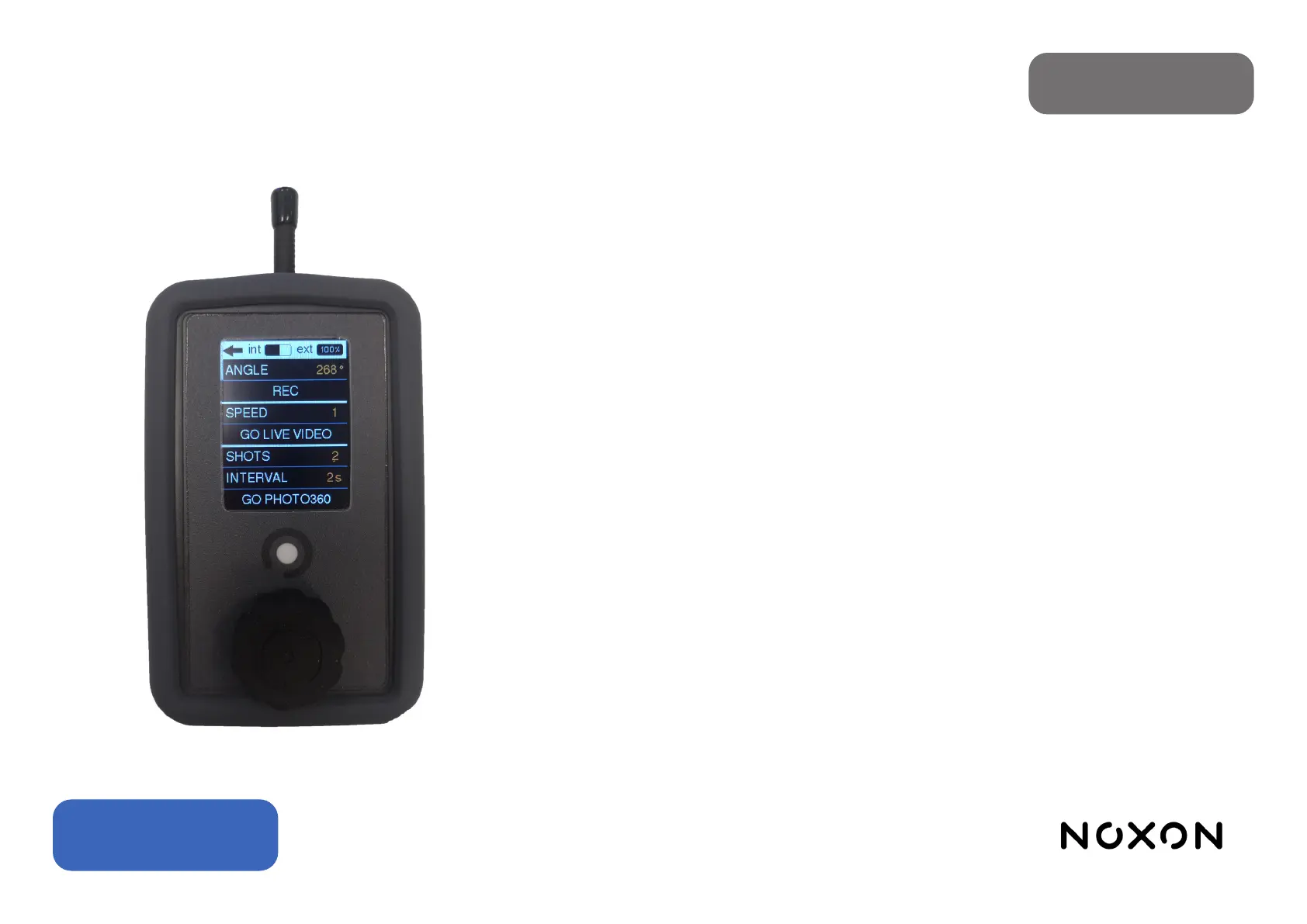
Turntable mode: It has 2 main functionalities: photo-by-photo mode (shot by shot) and continuous
video mode.
Movement can be captured in 2 ways:
1.Setting the degrees (angle), so that 90º will be a quarter turn, 180º half a turn, 360º a full turn, 720º
two turns and so on.
2.Inside the REC eld establishing the starting point (set start) and end point (set nish).
Allows you to select the number of shots (shots) and the interval between one and the other (inter-
val).
The continuous video mode also allows you to select the speed of rotation of the table.
Settings
• Brightness: Adjusts the screen brightness on a scale of 1 to 10.
• Delay Start: This is the amount of time that elapses between the press to start the programmed
movement and the actual start of the movement. It is congurable in steps of 5 seconds with a range
between 0 (canceling the delay) and 60 seconds.
• Remote Auto-O: Activates the remote’s auto-o after 10 minutes of inactivity.
• Controller Auto-O: Activates the Compact Slider motion system auto-o after 10 minutes of inacti-
vity.
• LCD Auto-O: Auto turn o the screen after 60 seconds of inactivity.
• Beep: Activates the playback of a beep just before the start of an automatic movement.
• RF Channel (Radio frequency channel selection): selecting a dierent channel allows the possibility
of working with two dierent devices in the same place.
• Info: Allows access to the screen where information about the rmware version of the controller, the
motion system and the serial number is displayed. It also enables activation of the rmware update
mode.
English


 To Previous Page