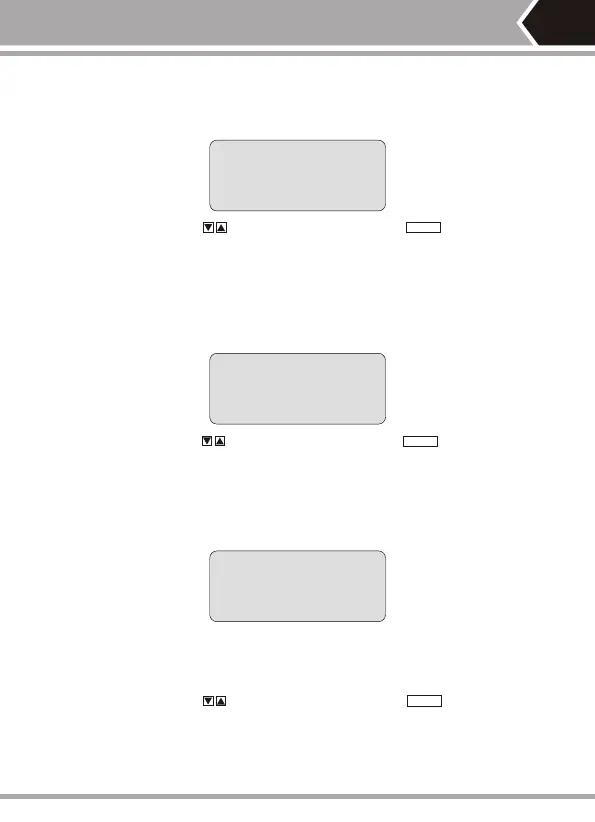
Test Result 1: Short circuit (SHORT)
It displays as follows if there is any short circuit in cable or terminal: (e.g.12
short circuit in the sample)
S h o r t :
1 2
At the moment, push key to restart testing or push key to return main
menu.Always correct short circuit error first and then start further measurement.
Test Result 2: Neither far-end matcher (ID) is foundnor cable inserts
local port (L).The tester will automatically detect far-end matcher (ID) or local
port (L) cable and it will display as follows if the far-end of cable to be checked
does not insert into the far-end matcher (ID) or if the cable does not into the
local(L)in local test:
N o a d a p t e r :
At the moment, push key to restart testing or push key toreturn
main menu.
Test Result 3: Normal wiring diagram (WIREMAP) display
The tester will automatically detect far-end matcher (ID) or local port (L)cable
and it will display wiring diagram (WIREMAP) as follows if it is found the far-
end matcher (ID) or the local port (L) on the far-end of cable to be checked:
W i r e m a p : p a s s
R: 12345678 id1
Iiiiiiii
M: 12345678
"R:" line shows RJ45 jack pin number of far-end port and "ID1"is the remote
identifier number.
"|" line shows the connecting line between far-end port and master port.
"M:" line shows the RJ45 jack pin number of master port.
At the moment, push key to restart testing or push key to return
main menu.
-06-
PAIR&L
PAIR&L
PAIR&L


 To Next Page