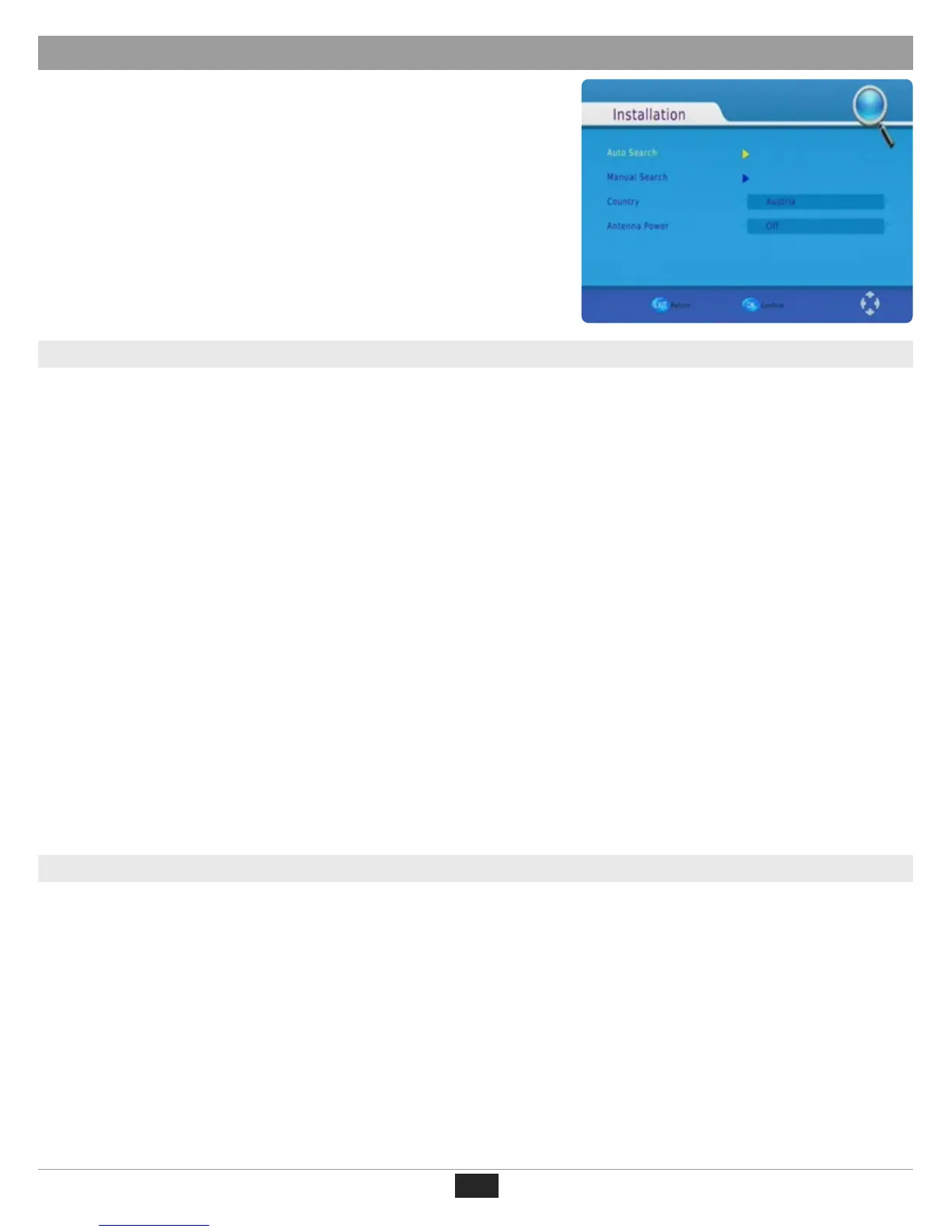
To access the Channel Search Menu, press MENU and select [Search Channel] using the RIGHT/LEFT keys.
This Menu provides options to adjust the Search Channel settings.
Press UP/DOWN to select an option and press RIGHT/LEFT to adjust the settings.
Press EXIT to exit the Menu.
26
DHT 318m
First Time Installation
(c) Sort
Sort your channels from the following options:
[By LCN] - Sort the channels in ascending order (by frequency).
[By Service Name] - Sort the channels in alphabetical order.
[By Service ID] - Sort the channels according to the station´s ID.
[By ONID] - Sort the channels according to ONID.
(d) LCN (Logical Channel Number)
Set LCN on or off.
To access the Picture Settings Menu, press MENU then select [Picture] using the RIGHT/LEFT key. The Menu
provides options to adjust the video settings. Press UP/DOWN to select an option and press RIGHT/LEFT to
adjust that setting. Press EXIT to exit the menu.
(a) Resolution
You can change this setting if the picture´s resolution does not appear to be correct.
The following settings match the most common settings for HDMI:
[480P]: for NTSC TV system.
[576P]: for PAL TV system.
[720P]: for NTSC or PAL TV system.
[1080I]: for NTSC or PAL TV system.
(b) TV Format
If the picture does not appear to be correct you can change this setting.
This should match the most common setting for TVs in your country.
[NTSC]: for NTSC system TV.
[PAL]: for PAL system TV.
(2). Picture Settings
(3). Channel Search


 To Next Page