To access the Time Settings Menu, press MENU, then select [Time] using the RIGHT/LEFT keys. The Menu pro-
vides options to adjust the time settings.
Press UP/DOWN to select an option and press RIGHT/LEFT to ad-
just the settings.
Press EXIT to exit the menu.
(a) Time offset
Select <auto> or <manual> for GMT offset adjustments.
(b) Country Region
Select the Country Region when [Time Offset] is set to Auto.
(c) Time Zone
Select the Time Zone when [Time Offset] is set to Manual.
27
DHT 318m
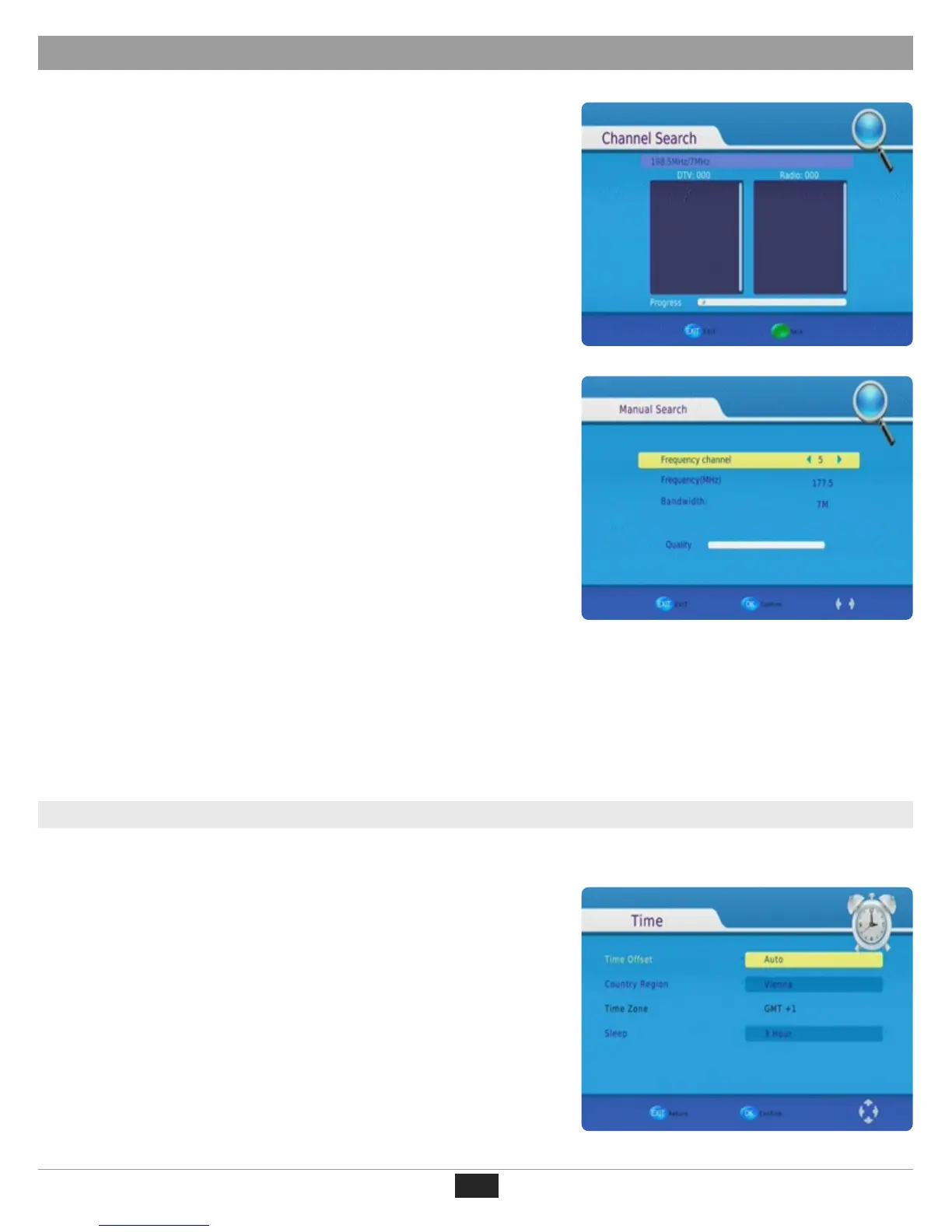
(a) Auto Search
This option will automatically search for channels and save them
once the scanning is complete. All previously saved channels and
settings will be deleted.
1. Select [Auto Search] and press OK or RIGHT to start the search.
2. To cancel the channel search, press EXIT. Any channels that have
been found will be saved.
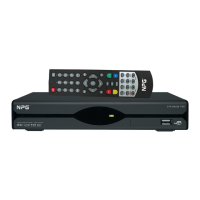
(b) Manual Search
This option allows you to scan for new channels without deleting pre-
viously saved channels and settings.
1. Select [Manual Search] then press OK or RIGHT. The channel se-
arch screen will appear.
2. Press the RIGHT/LEFT key to select the channel frequency.
3. Press OK to start searching channels.
If a channel is found, it is saved and added to the channel list. If chan-
nels can´t be found during searching, the unit will exit automatically.
(c) Country
Select your country of residence.
(d) Antenna Power
Enable Antenna Power if an external active antenna is connected.
First Time Installation
(4).Time Settings


 To Next Page