4. Features
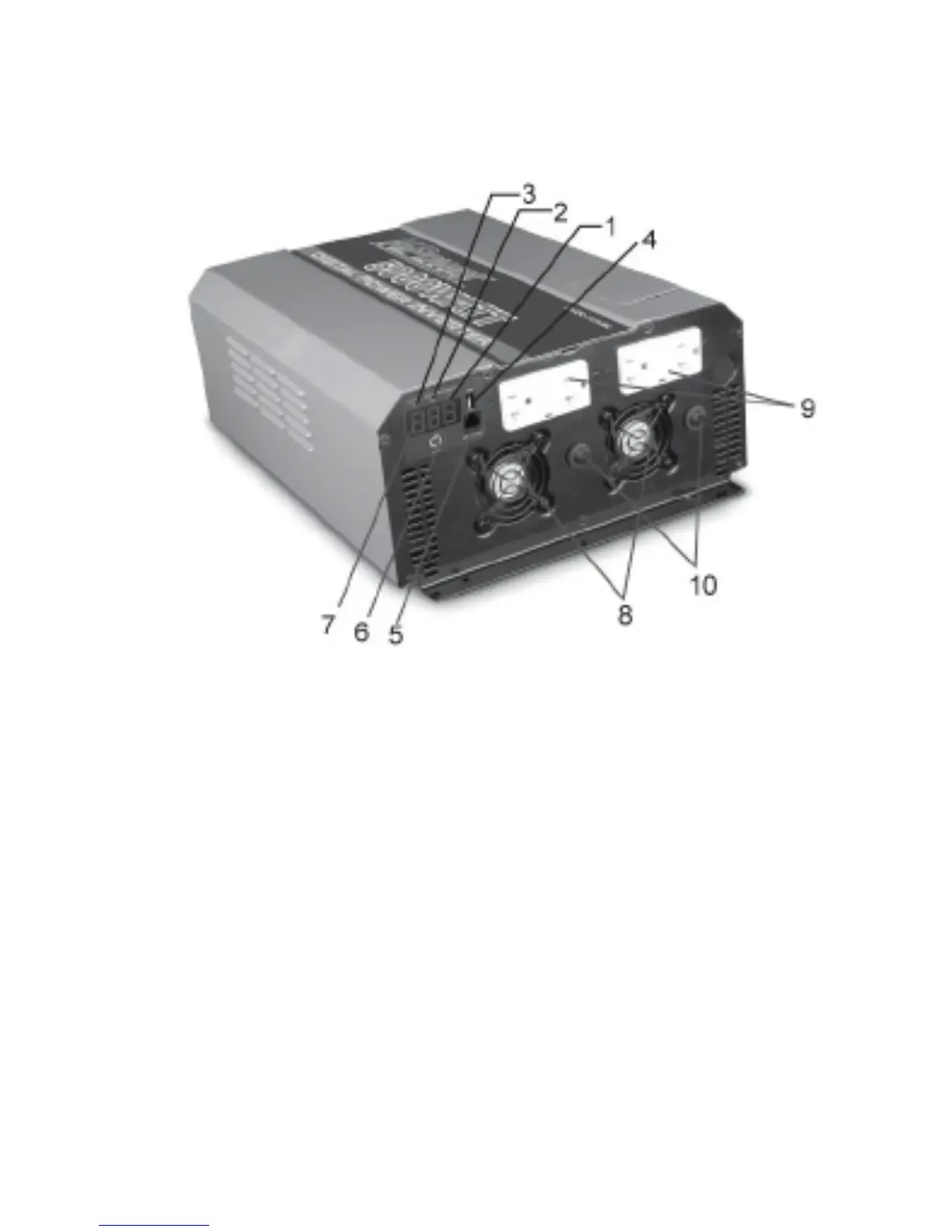
Figure 1: Digital Power Inverter Front Panel
1. Red LED—Indicates that the consumption of the loads is under 1000
W, and the digigal display showing output power loads in watts.
2. Yellow LED—Indicates that the consumption of the loads is over
1000 W, and the digigal display showing output power loads in
kilowatts.
voltage.
3. Green LED— Indicates the digital display is showing DC input
4. USB Port—Powers and charges USB-enabled devices.
5. Remote Switch Port—Use to connect the remote ON/OFF switch
via a communication cable.(remote control switch is not included.)
6


 To Next Page