EasyManua.ls Logo

NSS eForce 26 - User Manual

NSS eForce 26
52 pages
Print Icon
To Next Page IconTo Next Page
Loading...
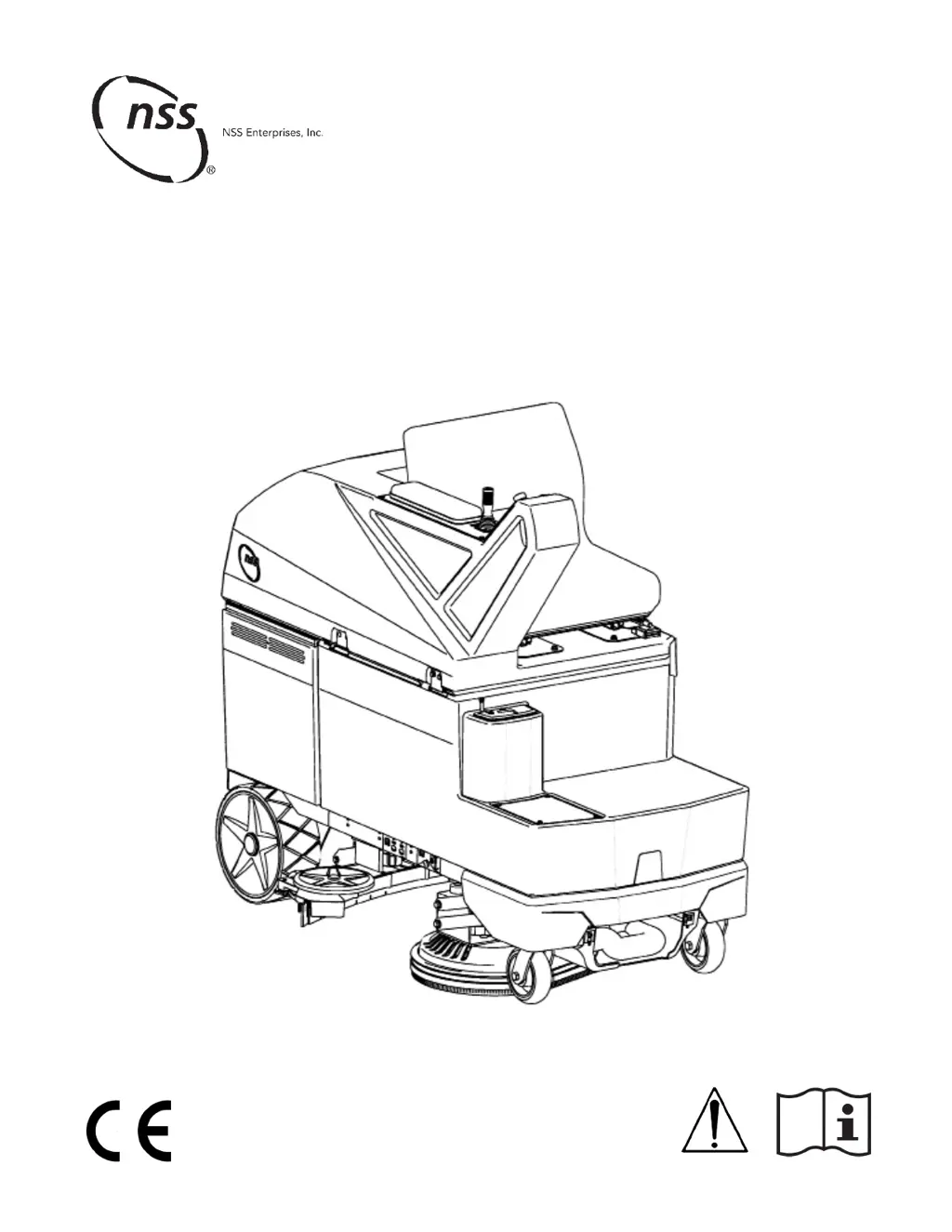
eForce Scrubber 26 & 32
Automatic Floor Scrubber/Dryer
Récureuse/sécheuse de planchers automatique
Fregador y secador de pisos automático
OPERATOR MANUAL
MANUEL DE L’OPÉRATEUR
MANUAL DE OPERADOR

Questions and Answers

Summary

IMPORTANT SAFETY INSTRUCTIONS

Operator Safety Features

Includes emergency stop button, operator presence device, and safety equipment for user protection.

Hazard Identification and Warnings

Details DANGER, WARNING, CAUTION symbols and explains safe operating practices and intended use.

Battery Safety and Charging

Battery Hazards

WARNINGs regarding acid, hydrogen gas, and potential for arcing or explosion when handling batteries.

Charging Precautions and Grounding

Covers safe charging practices, proper grounding, and avoiding damage to charger or machine.

Markings

Chemical Hazard Warning

This product may contain chemicals known to cause cancer, birth defects, or reproductive harm in California.

Battery Safety Label

Referencing the battery safety information section within this manual for detailed guidance.

Maximum Performance Indicator

Press for temporary (30s) maximum scrub deck down force, water flow, and vacuum.

Water Strainer Location

Clean water strainer is located above the dirty water drain hose for easy access.

Unpacking Instructions

Carton and Pallet Removal

Steps to carefully remove bands, staples, and detach the machine from its shipping pallet.

Before First Use

Initial Setup and Checks

Includes recycling packaging, technician battery installation, and connecting power before operation.

Machine Elements Overview

Key Machine Components

Identification of major parts like the key switch, emergency stop button, joystick, seat, and tanks.

Controls

Joystick Operation

Move the joystick to control direction and speed. Machine speed increases with greater joystick movement.

Touch Pad Usage

Machine modes and settings are selected using the touch pad interface for intuitive control.

Operator Seat Detection

Ensures operator is present and seated for safe operation, indicated by seat belt and missing operator warnings.

Machine Status Indicators

Displays warnings for joystick errors, brake status, and operator presence, prompting necessary action.

Home Screen Interface

Cleaning Mode Selection

Touch to select pre-set settings for cleaning modes like Maximum, Normal, Vacuum Only, or Conservation.

System Status Indicators

Displays battery charge status, low water warnings, and service codes for system monitoring.

Operational Controls Access

Includes access to Online Manual, Hour Meter, Horn, and Detergent Dispensing Setup for full functionality.

Speed Settings Management

Selects between Fast and Slow speed modes, or indicates if Fast speed is disabled by supervisor.

Cleaning Mode Screens Operation

Mode Selection and Adjustment

Touch screen buttons to select cleaning modes and adjust settings like water flow and scrub deck pressure.

Saving and Default Settings

Normal mode settings are saved; other modes revert to defaults upon exiting the screen.

Supervisor Mode and Settings

Supervisor Mode Access

Enter a specific code to access the Supervisor Mode screen for disabling certain machine functions.

Battery Charger Configuration

WARNING: When replacing batteries, set the charger to the correct curve and charge current for the installed batteries.

Verifying Charger Settings

Follow steps to verify battery charger settings match the installed batteries before charging.

Machine Operation and Setup

Pre-Operation and Installation

Perform parking brake checks, install squeegee, and attach pads/brushes before starting operation.

Driving and Cleaning Procedures

Use joystick for movement and speed. Begin basic cleaning by selecting mode and driving across the floor.

Fluid Management

Fill clean water tank and detergent container as needed, following instructions for safe operation.

User Maintenance Procedures

Tank and Filter Cleaning

Drain and clean the recovery tank. Clean the clean water filter weekly for optimal performance.

Squeegee and Pad Care

Clean the squeegee daily and inspect blades. Inspect pads/brushes for wear and replace as necessary.

Battery Maintenance and Charging

Charge batteries after each use. Equalize batteries monthly and follow battery do's and don'ts.

Machine Care and Storage

Routine Maintenance Tasks

Perform monthly tasks: clean battery terminals, recovery tank seal, and grease caster axles and swivels.

Washing and Storage Guidelines

Wipe down exterior with a damp cloth. Protect from freezing and store indoors in a dry, cool area.

Detergent Dispensing System Setup

Fill container, turn on system, prime, purge, and turn off as needed for cleaning detergent dispensing.

Troubleshooting Guide

Common Machine Issues

Diagnose and resolve issues like: machine not turning on, poor water pickup, no water flow, or leaks.

Performance and Dispensing Problems

Address issues such as reduced runtime, uneven cleaning, or detergent dispensing failures.

Service Codes Explained

Basic System Error Codes

Interpret service codes for issues like corrupt data, low battery voltage protection, or controller temperature.

Battery Charger Error Codes

Charger Malfunction Codes

Understand error codes E01-E032, EDU, SCt, Srt related to battery charger performance, safety, and potential battery issues.

Performance Specifications

Machine Performance Data

Details cleaning path width, pad size, tank capacities, speed, runtime, and motor power for each model.

Technical Specifications

Machine Dimensions and Ratings

Provides physical dimensions, weight, protection rating, power ratings, and safety standards.

Transporting and Scrapping

Machine Transport Guidelines

Note the machine's size and weight. Use provided slots/holes for attaching tie down straps securely.

Proper Machine Disposal

Contact a qualified scrapping service provider for proper disposal of batteries and components according to law.

Technical Repair Manual Information

Manual Availability

The eForce Scrubber Technical Repair Manual is available for download to Distributors and Authorized service centers.

NSS eForce 26 Specifications

General IconGeneral
ModeleForce 26
CategoryScrubber
Cleaning Path26 inches
Power SourceBattery
Battery Voltage36 V
Cleaning Path Width26 inches
Brush Down PressureUp to 200 lbs
Brush TypeDisc
Battery TypeAGM

Related product manuals