11
Part 3.
Checking/Adjusting the CO2
5. Update rating plate
As the certified installer of the Natural Gas
to LP Conversion Kit, you must indicate on
the boiler that it has been converted for
use with Propane (LP) Gas:
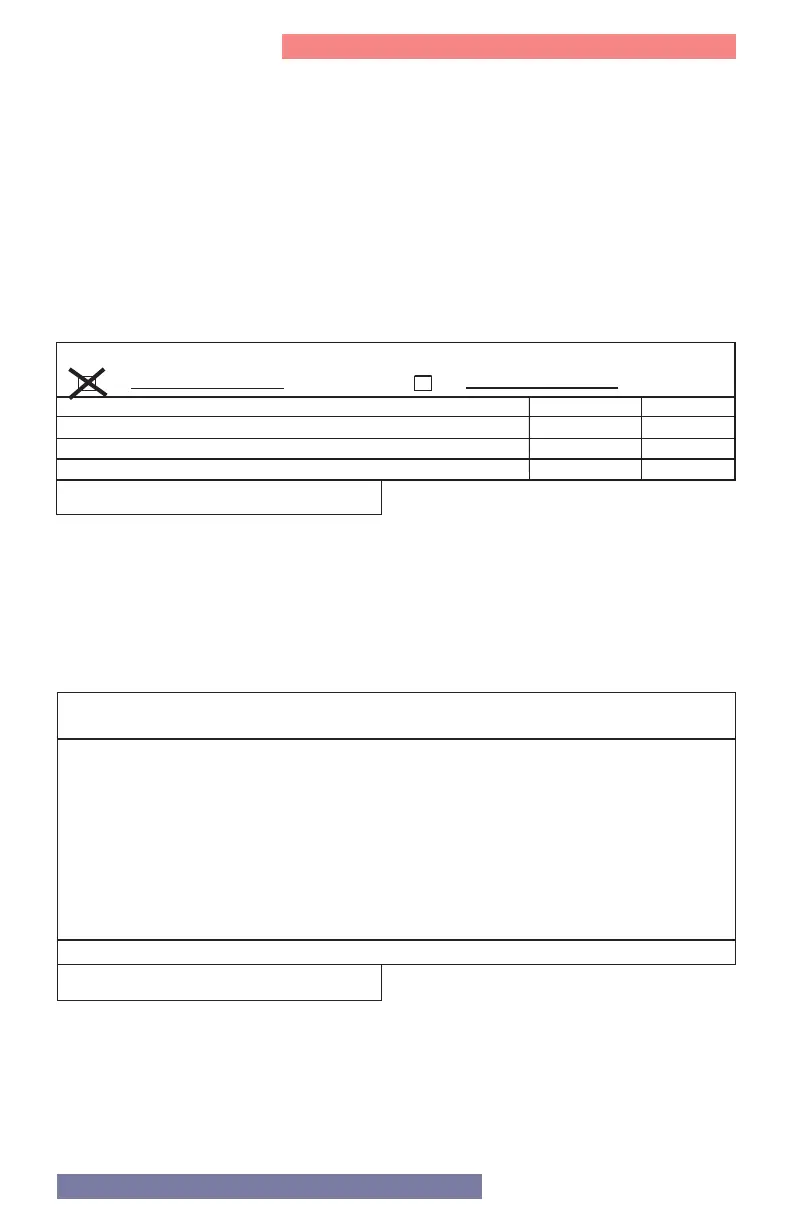
a. Update Rating Plate Decal – Locate
the rating plate decal on the side of
the appliance. Using a regular ink pen,
check the box next to “Field converted
to Propane Gas” and fill in the date.
Press hard enough to permanently mark
the decal. See Figure 9.
FACTORY SET FOR NATURAL GAS
Field converted to Propane Gas
ADJUSTER A L’USINE POUR GAZ NATURAL
Convertie au propane sur place
Date:
Date:
Gas Pressure
[Pression du Gaz]
Maximum Inlet Gas Pressure
[Pression maximale d’entrée du gaz]
Minimum Inlet Gas Pressure
[Pression minimum d’entrée du gaz]
Manifold Pressure
[Pression d’admission]
Natural
[Naturel]
Propane
10.5" wc [2.6 kPa]
3,5" wc [1 kPa]
0" wc [0 kPa]
0" wc [0 kPa]
8" wc [2 kPa]
13" wc [3.2 kPa]
October 22,2018
b. Conversion Decal - Fill out the required
information on the Conversion Decal
(included in this kit) and affix it to the
boiler cabinet adjacent to the rating
plate decal, in a location where it can be
easily seen. See Figure 10.
Figure 9 - Update the Rating Plate Decal
Figure 10 - Conversion Decal
THIS CONTROL WAS CONVERTED FOR USE WITH PROPANE GAS
This appliance has been converted for use with Propane Gas, in accordance with the
instructions provided with the Natural to Propane Conversion Kit
by ______________________________________ , which accepts responsibility that
the conversion was performed properly.
Reference rating plate for Propane Input and Gas Pressure
420060882600
John Smith



 To Next Page