
 Need help?
Do you have a question about the Nu-Air Lumina and is the answer not in the manual?
Essential safety and compatibility information for the Lumina Wall Control installation.
Instructions for physically installing the wall control unit in a central location.
Guide to connecting the H/ERV 12 VDC terminal block to the NAV-561 terminals.
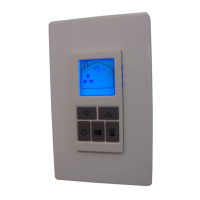
Description of the functions for Backlight, Power, Mode, Timer, Down, and Up arrow buttons.
Procedure for navigating and activating desired modes using the Mode and Arrow buttons.
How to set and adjust the desired humidity level using arrow keys for automatic ventilation.
Details on available modes: OFF, STANDBY, LOW SPEED, HIGH SPEED, and 20 LO/40 STANDBY.
Explanation of RECIRCULATION and 20 LO/40 RECIRCULATION modes for indoor air circulation.
Instructions for activating timed high-speed operation for 20, 40, or 60 minutes.
Information on using compatible external timers (ES-T1, Win-20) with the Lumina control.
How to understand the maintenance alert and reset the maintenance clock.
Guide to customizing settings like maintenance clock, humidity sensor calibration, and recirculation.
The Nu-Air Lumina Wall Control (p/n NAV-561) is a sophisticated control unit designed for use with Nu-Air H/ERV (Heat/Energy Recovery Ventilator) systems that feature an ES series circuit board. This control allows users to manage ventilation, humidity, and recirculation functions within a residential or commercial setting, enhancing indoor air quality and comfort.
The Lumina Wall Control serves as the primary interface for operating Nu-Air H/ERV units. It enables users to:
The Lumina Wall Control is designed for intuitive operation with several user-friendly features:
The control incorporates features to assist with H/ERV maintenance:
 General
| Brand | Nu-Air |
|---|---|
| Model | Lumina |
| Category | Controller |
| Language | English |

 To Next Page