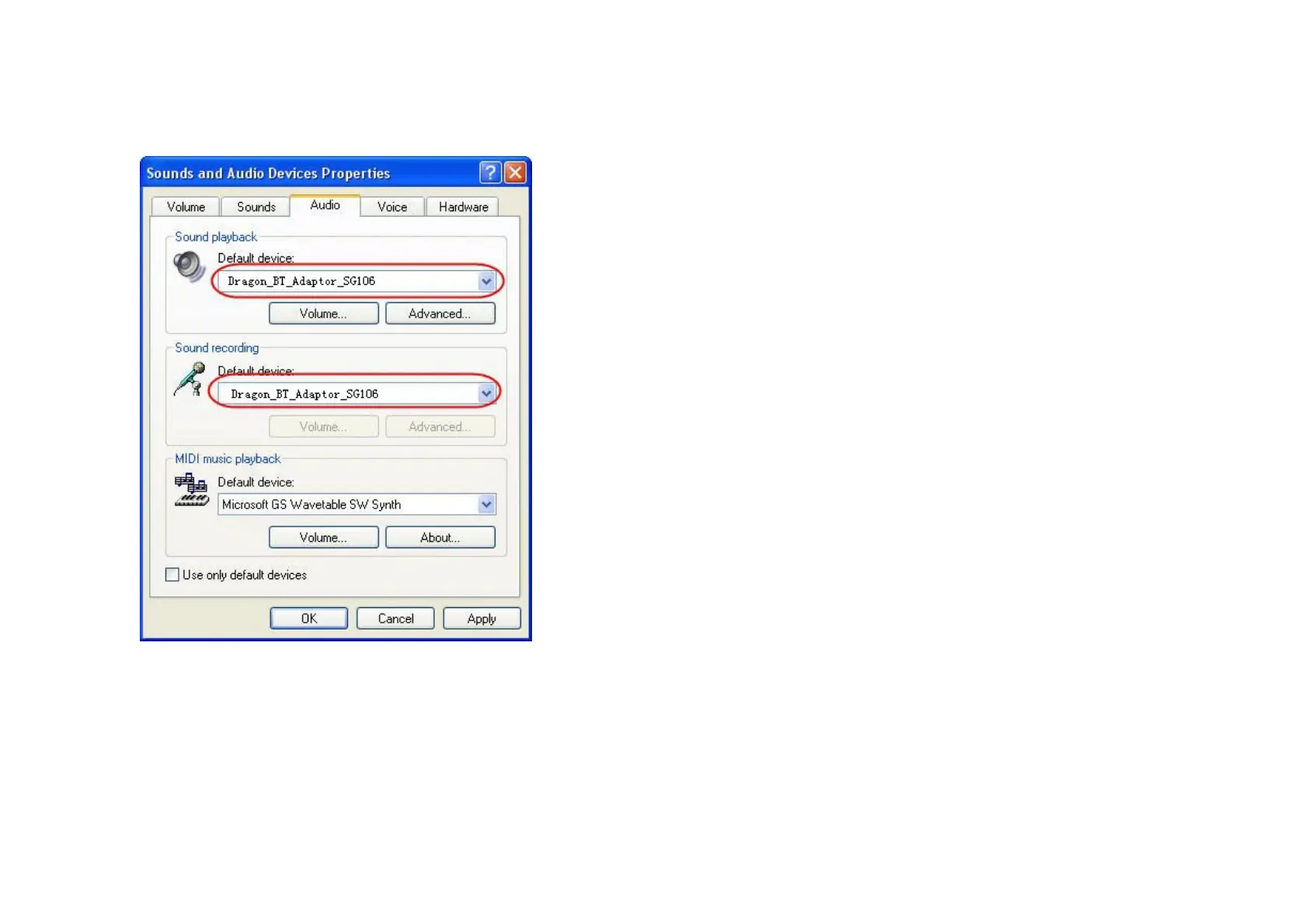
4.Listeningmusic/makingacall
1)Settingupsystem
Before use, please set up the default audio device in Sounds and Audio
DevicesPropertiesasthisdongle,followstakeWindowsXPforexample:
5
2)Listeningmusic
a. After BTE038 connect with BTT004B, blue LED of BTT004B will on, and
entermusicmode,youcanlistenmusicnow.
b. Set up default device as this dongle on your Media player, follows take
WindowsMediaPlayerforexample;
c.Shortor
longpressvolumeup/downbuttononBTE038toadjustvolume.
6


 To Next Page