6
NuForce DAC80 Digital to Analog Converter
Adjust Software (Windows 7 Setup)
Direct Sound (DS) is the default Windows audio mode. It operates with the Windows Mixer enabled. This means
that other sound prompts, such as email notiications, etc., will be mixed into the music output. A single sample
rate must therefore be used as the common denominator.
For music playback in Windows 7, WASAPI mode (Windows Audio Session API) is the best-sounding mode. (See
WASAPI section).
Direct Sound Mode
Because the USB input is asynchronous, the DAC80 will operate at a ixed sample rate. Regardless of whether
the music is recorded at 48k or 192k, whatever actual DS format (bit depth & sample rate) is selected, that format
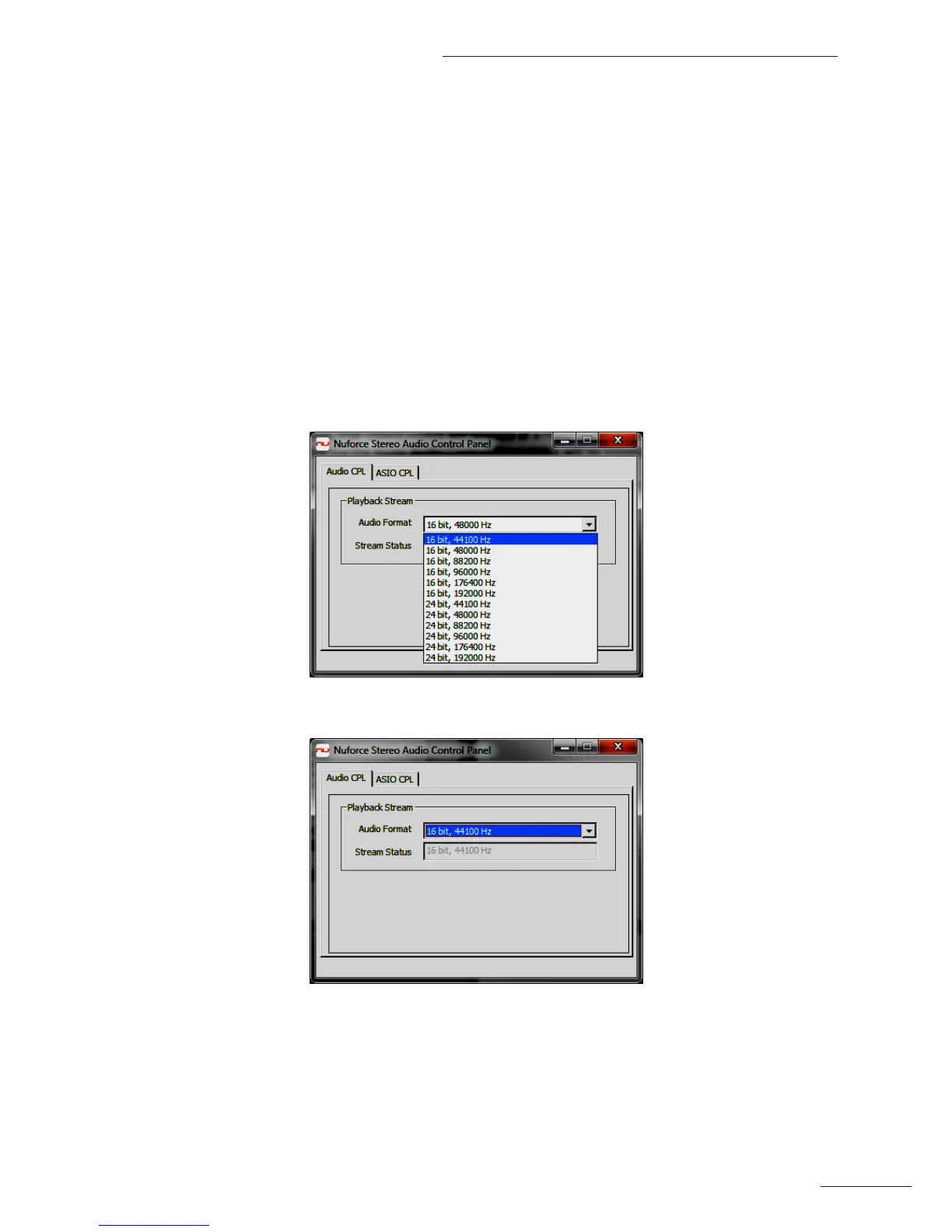
will be the operating format. Selection is made via the Audio Control Panel (CPL) section of the NuForce Stereo
Audio Control Panel. For the best sound quality in Direct Sound mode, you will need to manually select the Audio
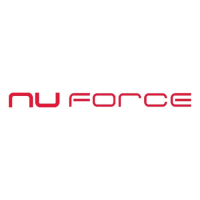
Format so that it matches the music ile format. (See screenshots below).
In Direct Sound mode the Stream Status is ALWAYS equal to the selected Audio Format:


 To Next Page