6
Compatibility
Made for
iPod touch(3rd and 4th generation)
iPod classic
iPod nano (6th generation)
iPhone 4
iPhone 3GS
iPhone 3G
iPad 2
iPad
Only iOS3 and later versions are supported.
Controls and Connectors
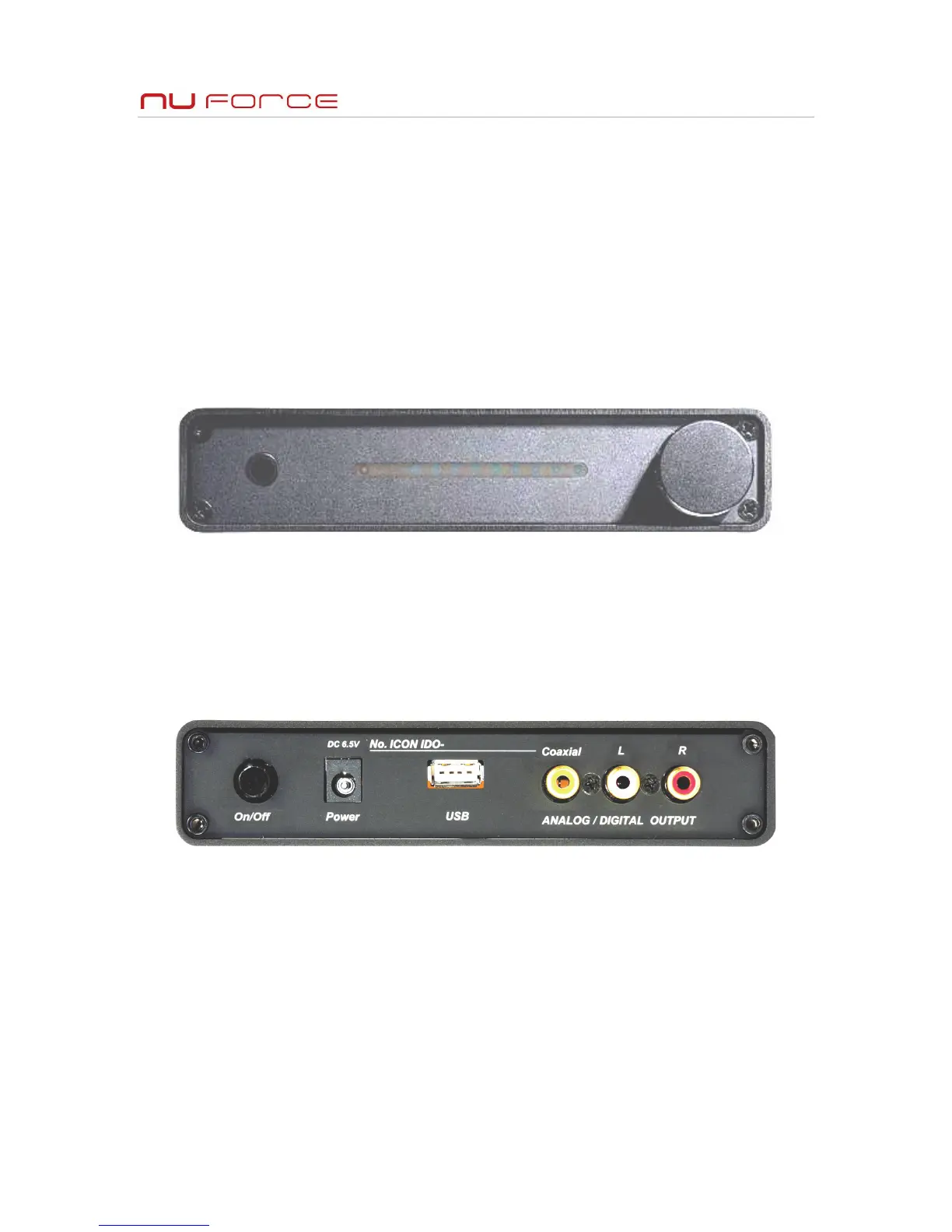
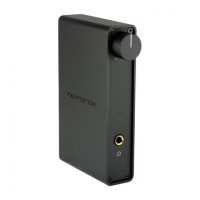
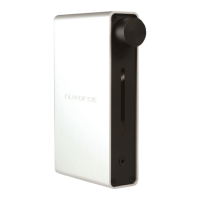
On/Off switch: Depress the On/Off switch to turn on the power.
Volume control: the volume control is a continuously rotating optical encoder. The default volume is set to 10% when
iDo is turned on. The volume level is indicated by the relative position of the Blue LED indicator.
LED display: When iPod device is connected to iDo the green LED will turned on; When the power is turned on, the
Blue LED also lights up as well, indicating the current volume level. The position of the lens closest to the headphone
output jack is the IR receiver window, so there is no LED in that position.
Headphone Jack: The 3.5mm headphone output jack drives headphones up to 300-Ohm (12 mW@300-Ohm). An
adapter for 6.3mm is required (not included) for headphones with 6.3mm connector.
Analog output /RCA: The RCA connector should be used for connecting to a preamp or other audio equipment using
standard analog RCA input connections.
USB - The USB port can only recognize supported iPod devices. It cannot be used with other standard USB devices.
S/PDIF: The 75-Ohm Coaxial connection should be used for digitally connecting the iDo to a D/A Converter (DAC) or
receiver equipped with S/PDIF input. Volume control on iDo has no effect on S/PDIF output.
DC Input: The maximum DC power voltage used for iDo is 6.5V/2.3A. Do not use any non-factory adapter, as it may
damage your iDo as well as the iPod device connected via iDo. Damage resulting from use with a non-factory adapter
is not covered under the warranty.


 To Next Page