How to Use Product
E5
How to Use Product
- How to use a low frequency
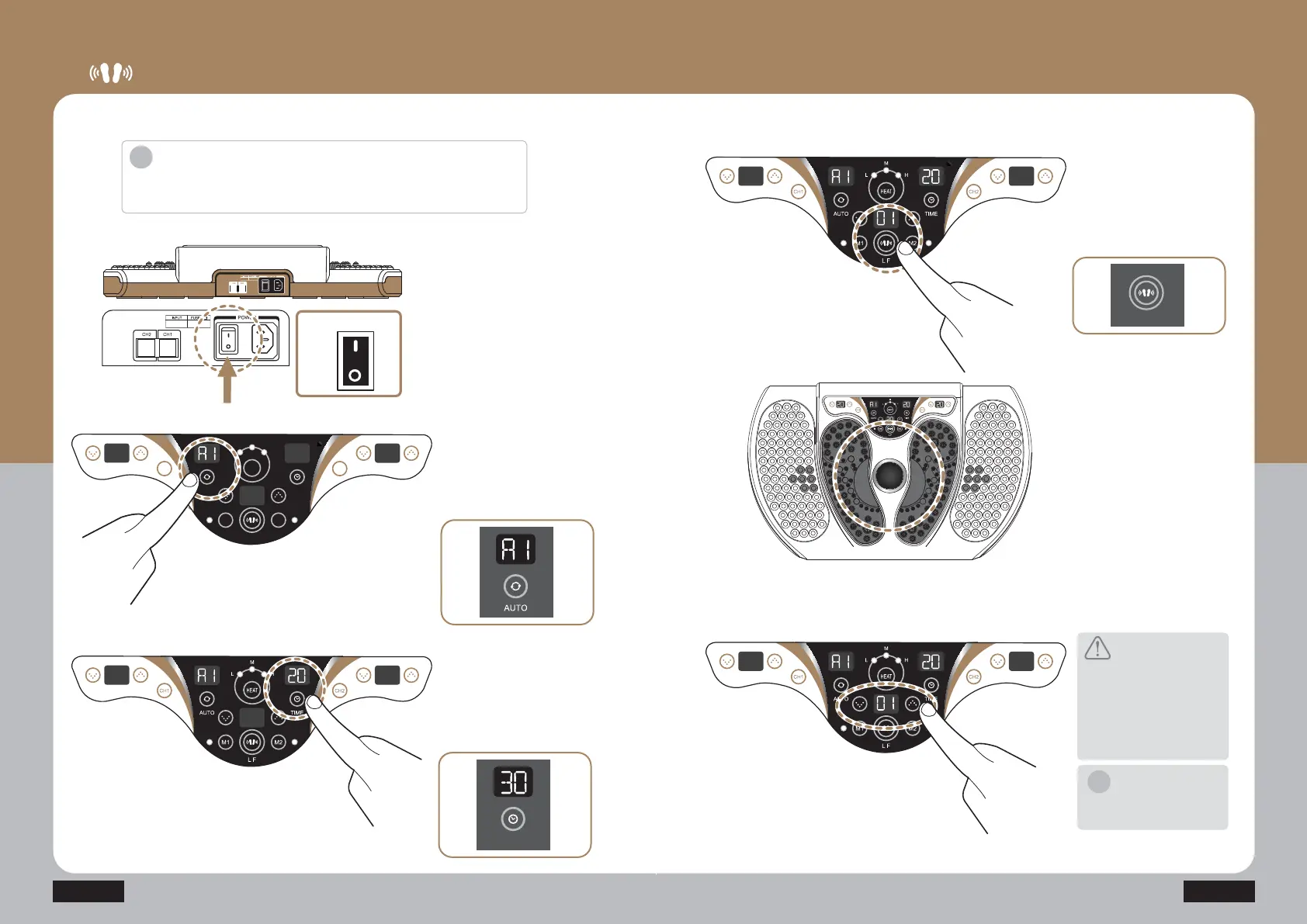
Press the power switch on
the side of the power cord
connection unit to turn on the
product.
Press the start/stop button (LF)
of the foot low frequency of the
controlling unit to start the
operation.
When the product is started,
LED in the dome at the center
of the product flickers, and a light
of the foot low frequency is turned
on in red.
TUFQ
Press the auto button of the
controlling unit to select the low
frequency mode.
(Auto mode: Four modes A1~A4)
TUFQ
Connect the power cord to the
back side of the product, and
connect it to the power outlet.
Check out the working voltage
before use.
TUFQ
Press the time button to set the
operation time.
(10-30 min. The time can be
set by 5 minutes. Maximum
operation time is 30 minutes.)
TUFQ
TUFQ
3UHVVWKHµŸ¶µź¶EXWWRQVWR
control the low frequency
intensity. (Level 1-20)
TUFQ
Introduction
·Do not use it for other usages than the described purposes of uses.
·Check out the working voltage before use.
Caution
Put your feet on the product,
start the product from the low
level, and gradually increase
the level.
If you start the product from the
high level, you may feel
excessive stimulation.
Notice
When the set time is finished, the
product is automatically stopped.
i
i
ON
Power
OFF
HEAT
M1 M2
LH
M
L F
AUTO
TIME
CH1 CH2
TIME
L F
CH2 CH1


 To Next Page
 Loading...