02
1
2
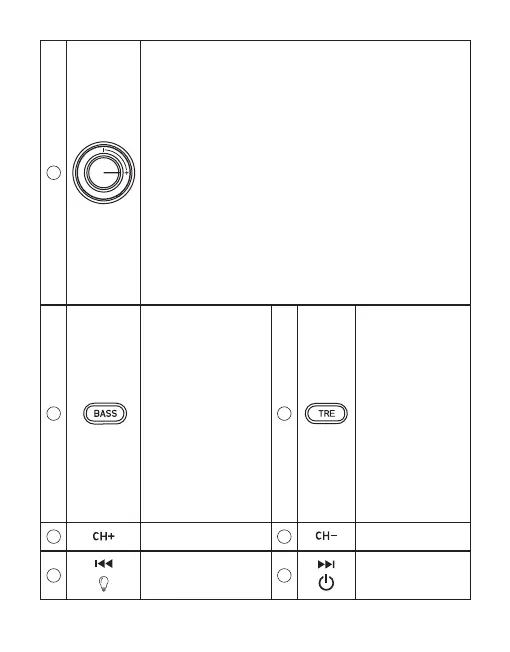
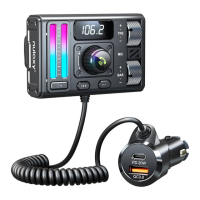
1. Press "BASS" button to
adjust bass effect in "BASS"
status; increase or decrease
the bass by:
1) Press "CH+" or "CH- ".
2) Press previous or next
button.
3) Turn the "Spin Button".
2. Long press BASS button
to switch music playing
sources (Bluetooth/USB
drive/TF card/AUX port).
3. In the call mode, pressing
the "BASS" button shortly
can reduce noise.
3
1. To adjust the treble
effect, press the "TRE"
button. Increase or
decrease the treble in
"TRE" status by:
1) Click "CH+" or "CH-".
2) Select the previous or
next button.
3) Turn the "Spin
Button".
2. Long press TRE
button to activate
Siri&Google.
4
Frequency increase
5
Frequency decrease
6
1. Previous song
2. Long press to enter
Light mode
7
1. Next song
2. Long press to turn
on and off the KM28
Spin Button
:
1. Play Music: When in music mode, press quickly to play music and again
to pause it.
2. Calling Function: Short-press to pick up the call in call mode, and press
again to hang up; when you receive a call, long press to reject it.
Double press to redial the Iast phone number in the call record of the KM28.
If you need to switch to a private call, please turn off "Speaker" on your
phone call manually.
3. Volume Control: The volume can be adjusted in either call or music
mode by turning the knob up or down.
4. Modify FM: In the FM mode, turn clockwise to increase, and turn
counterclockwise to decrease.
5. Adjust Light Modes: To change the color of the light, rst select the light
mode and then rotate left and right.
6. To access the main menu (EQ and Language), long press.To access the
submenu, press "EQ" or "Language".


 To Next Page