EasyManua.ls Logo

Nulaxy KM29 - User Manual

Nulaxy KM29
29 pages
Print Icon
To Next Page IconTo Next Page
Loading...
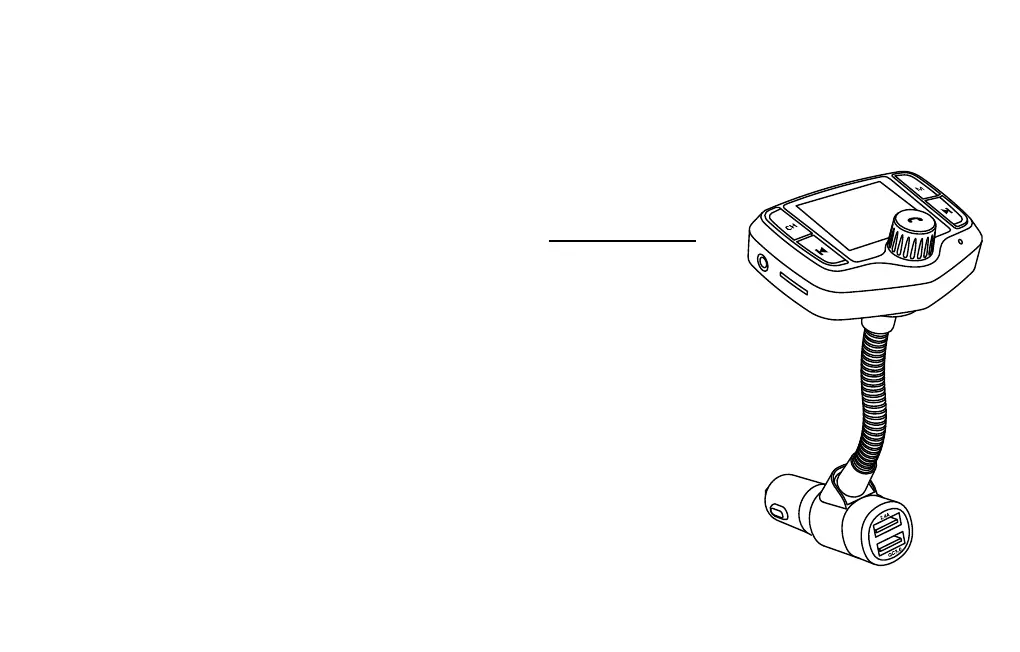
KM29
BLUETOOTH
FM TRANSMITTER
User Manual
Welcome to Nulaxy,
if you have any questions, please just send
it to support@nulaxy.com
We'll respond within 24-48 hours.
www.nulaxy.com

Questions and Answers

  • A
    Ashley RoyAug 4, 2025
    How to fix noise or statics on Nulaxy KM29?
    • M
      mcdonaldbrentAug 4, 2025
      If you are experiencing noise or static with your Nulaxy Transmitter, first ensure that the FM frequency on your car audio deck and the FM transmitter are exactly the same. Readjust the FM frequency if needed. If the issue persists, the chosen frequency might be occupied or experiencing interference. In this case, select another radio frequency.
  • N
    Norma Miller MDAug 20, 2025
    What to do if I have Bluetooth connection issues with Nulaxy Transmitter?
    • B
      Bill ChavezAug 20, 2025
      If you're having Bluetooth connection problems with your Nulaxy Transmitter (can't find the Bluetooth name, can't connect, or experience disconnections), here are a few things to try: * Clear your Bluetooth pairing list on your phone, as too many Bluetooth records can cause issues. * Restart the FM Transmitter device and try reconnecting the Bluetooth. * Also, check the Bluetooth name of your phone, if it is too long.

Summary

Safety Instructions

General Safety Precautions

Read all instructions, avoid rain, moisture, snow, damage, and disassembly.

Electrical Safety and Maintenance

Unplug before maintenance, avoid interconnecting outputs to prevent shock or fire.

Driving and Usage Safety

Obey traffic laws, pay attention to the road, and avoid using the device while driving.

Product Diagram, Features, and Specifications

Product Components Overview

Identifies all ports, buttons, and slots on the KM29 device.

Key Product Features

Highlights hands-free calling, music streaming, and dual USB charging capabilities.

Technical Specifications

Details DC input range and FM frequency broadcasting bands.

Package Contents

Lists all items included in the product package.

Bluetooth Mode Operation

Connecting to Bluetooth Devices

Steps to enable Bluetooth, search, and connect the device to your smartphone.

Streaming Audio via Bluetooth

Instructions for playing music and making calls through the car stereo.

Music Playback and Connectivity Options

FM Frequency Matching for Audio Transmission

Guide to finding an unoccupied FM frequency for audio transmission.

MicroSD Card and USB Drive Playback

How to insert and play MP3/WMA/FLAC/WAV files from storage media.

Auxiliary Audio Connections

Using 3.5mm AUX cable for audio output or input.

Device Controls and Troubleshooting

Music and Call Controls

Details on playback, volume, track, mode, EQ, and hands-free call management.

Device Charging and Troubleshooting

Information on USB charging ports and solutions for common operational issues.

Important Notes and Compliance

Battery Protection Note

Advice to unplug the device to prevent car battery drain.

Regulatory Compliance Statements

FCC and IC statements regarding device operation and interference.

Environmental Disposal Guidance

Instructions for responsible disposal of electronic waste.

Manufacturer and Regulatory Information

Company Contact Information

Details for UK and EU representatives and technical support.

Product Certifications and Origin

CE marking, Made in China, and FCC ID information.

Nulaxy KM29 Specifications

General IconGeneral
BrandNulaxy
ModelKM29
CategoryTransmitter
LanguageEnglish

Related product manuals