07
• Increase the smart device's volume while reducing the car stereo's
volume by one third.
Frequently asked questions:
Sound troubles:
1. Poor sound quality.
2. Low volume
3. No sound
Solution:
Solution:
• Set the radio in your car to a blank frequency between 87.5-108.0
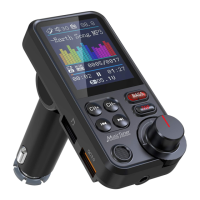
MHz (in the UK) or 88.1-107.9MHz (US&CA). After that, set the KM 28
transmitter's frequency to match that of the car radio.
• Check to see if the FM transmitter works better by replugging it.
• Compatibility issue. Try connecting the transmitter to another vehicle to
see if the problem persists.
Adjust the volume on your car stereo after setting the phone and FM
transmitter to maximum. Due to the possibility of sound distortion, it is
not recommended to turn the car stereo to its maximum setting.
• Check the volume on the radio, FM transmitter and the external device.
• Connecting via Bluetooth
Check the Bluetooth connection.
• Audio cable connection
Make sure that the cable is undamaged and property connected.
• Memory card
Check that the memory card works and that there are MP3 les on the
memory card. The maximum allowed memory capacity on the card is
64GB.
Check that the frequency on the FM transmitter is the same as that on
the car stereo.
No sound


 To Next Page