- 06 - - 07 -
Bluetooth Mode
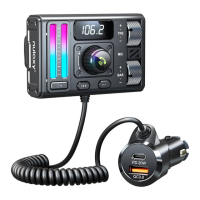
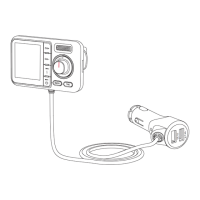
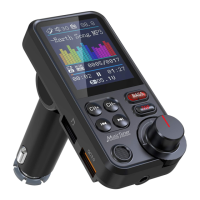
1. Plug KM30 to your vehicle’s cigarette lighter socket .
2. Start your vehicle ‘s engine and KM30 will turn on automatically,
the LED display will show FM frequency, battery level and more
information.
3. FM frequency sync:
Turn on your car radio, tune the radio till you nd an unoccupied
frequency from 88.1 to 107.9MHz, you will hear white noise.
Short press “CH+” or ”CH-” on KM30 to adjust the frequency to
set it same frequency with your car radio.
4. Enable Bluetooth on your smartphone and search for available
Bluetooth devices, select “KM30” and connect. Once successfully
connected, you can see connected device name on the LED display.
5. Open the music player or navigation on your phone, it can
transmit the phone calls. Your are ready to enjoy hands-free
calling and in-car stereo steaming.
Play Songs in microSD Card or USB ash drive
After FM frequency syncing, insert microSD card or USB ash dreive
into KM30, it will automatically detect and play the MP3/WMA/FLAC/
WAV format music.
1) Folder Selection and Play Mode Selection.
In microSD Card or USB ash drive, Long press Multifunction button,
you can enter into folder selection or play mode interface, rotate knob
button to select, short press multifunction button to enter. In the play
mode interface, you can select repeat one, repeat all, random, repeat folder.
2) SwitchbetweenBluetoothModed,microSDcardMode and USB
ash drive modes.
WhenamicroSDcard or USB Flash driveisinsertedandBluetooth
isconnected,youcanlongpress"B"toswitch betweenthethree
modes.Thisfeaturecanonlybetriggeredwhenbothsourcesare
available, please pause the music in Bluetooth mode.
Note: Please only use microSD card or USB Flash drive in FAT
format up to 32G memory; it only supports music in MP3/WMA
/FLAC/WAV formats.
AUX-Out Socket
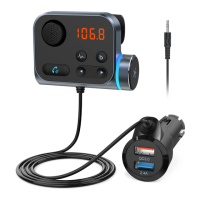
If radio static is not bearable, you can use audio cable to connect
between KM30 and your car 3.5mm audio port (not all vehicles have
3.5mm audio port.
Charge Your Devices
KM30 is equipped with QC3.0 charging ports. You can quick charge
your device.
Troubleshoots
1. KM30 will connect to the last paired device automatically when turn
it on next time. (Turn on the Bluetooth of your device rst, and then
turn on the KM30.)
2. The signal of car radio sometimes can be interfered by the
surrounded radio or the similar frequency signal thus causing noise,
which is a normal phenomenon.
3. Noise/Static—When listen to Bluetooth audio or answer phone
calls, you can try the following steps:
a. Please check if both the car radio and transmitter are on the
same station. If not, please set both of them on the same station.
(This frequency should not be occupied and not interfered by
close frequencies)


 To Next Page