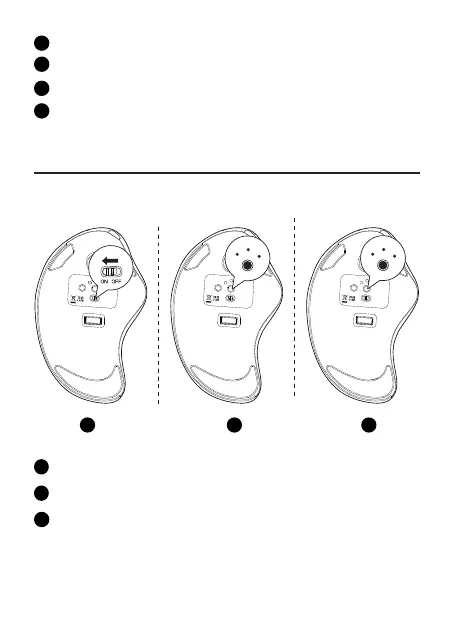
Accendere il mouse.
1
Take fuori il ricevitore 2.4G.
2
Inserire nella porta USB del computer.
3
Premere il pulsante di commutazione del canale, passare alla modalità 2.4G. Il
LED si accende per 5 secondi e poi si spegne, l'accoppiamento ha successo.
4
Accendere il mouse.
1
Premere il pulsante interruttore del canale per passare alla modalità Bluetooth.
2
Premere a lungo il pulsante Switch per 3-5 secondi, la luce LED lampeggia
rapidamente e il mouse entra nella modalità di accoppiamento Bluetooth.
3
Connessione Bluetooth
Sistema Windows(Prendi Windows 10 come esempio)
1 2 3
ON OFF
USB BT2
BT1
DPI
Mode
Model Name: M505
S/N:B0801
MADE IN CHINA
support@nulea.com
MADE IN CHINA
Model Name: M505
S/N:B0801
Model Name: M505
S/N:B0801
MADE IN CHINA
ON OFF
USB BT2
BT1
Mode
DPI
ON OFF
USB BT2
BT1
DPI
Mode
support@nulea.com
support@nulea.com
USB
BT2
BT1
USB
BT2
BT1


 To Next Page