Mac OS System
Please operate the Bluetooth installation steps(1~3) before pairing.
6
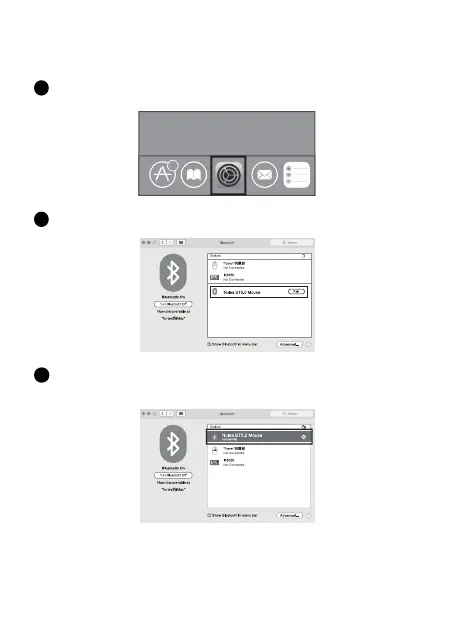
Click the “System Preferences” button on the Mac.
1
Click the Bluetooth button on the system preference folder.
2
Search the Bluetooth "Nulea BT5.0 Mouse/Nulea BT3.0 Mouse", and click the
Pairing button. If installed completely, the mouse could be used normally.
3


 To Next Page