28
1
5
7
8
9
2
3
6
4
12
10
13
11
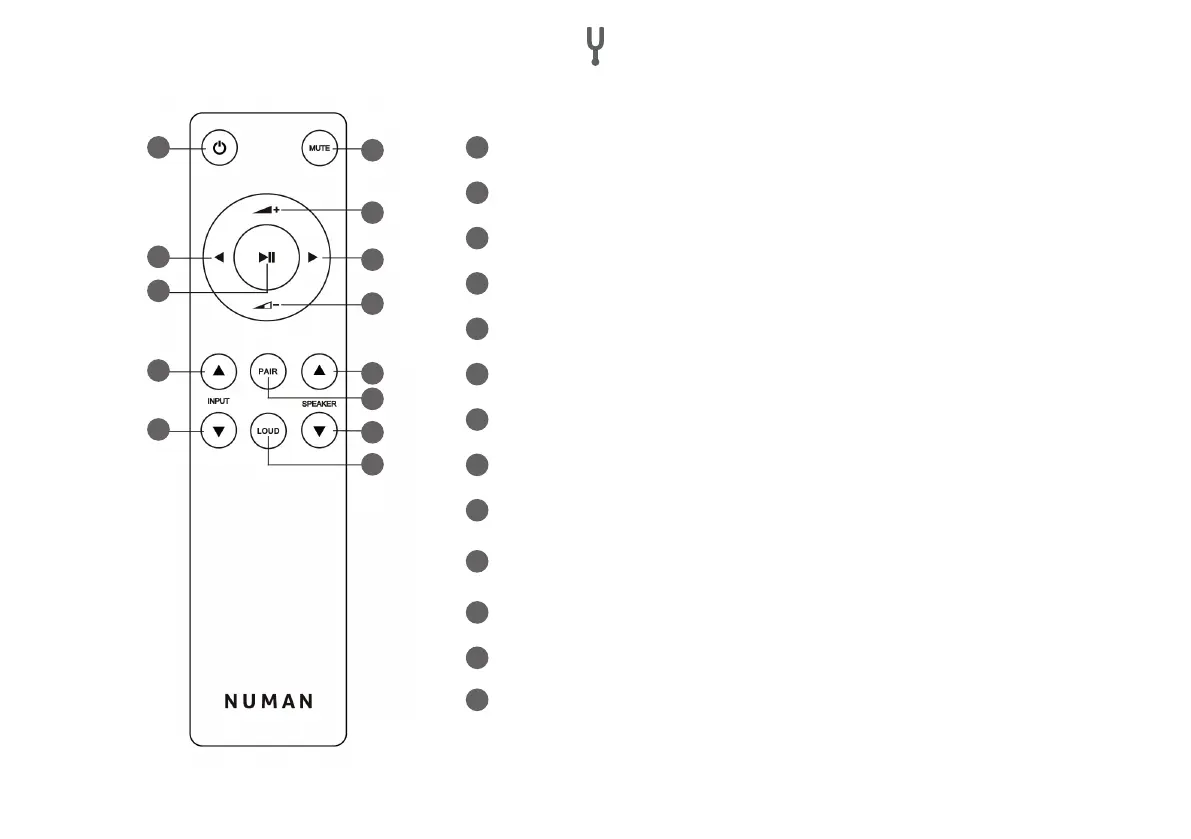
1
Standby
2
MUTE
3
Increase volume
4
Decrease volume
5
Previous title (only in BT mode)
6
Next track (only in BT mode)
7
Play/Pause (only in BT mode)
8
HIGH: Scroll speaker selection up
9
DOWN: Scroll speaker selection down
10
PAIR (the current BT connection is disconnected and a new connection is
established)
11
LOUD (bass and treble are improved at low volume)
12
UP: Increase spaker volume
13
DOWN: Decrease spaker volume


 To Next Page