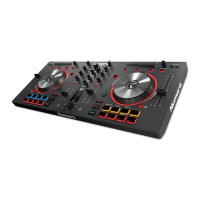
EXAMPLE OF MIXING USING BOTH PLAYERS OF YOUR CD PLAYER
While playing a disc on PLAYER 1, load a disc into PLAYER 2 and select your next track, match its pitch to the track playing on
PLAYER1 and when you are ready use the crossfader on your mixer to fade from PLAYER 1 to PLAYER 2.
PLAYER 1
Load a disc and press the
OPEN/CLOS E button.
PLAYER 2
Load a disc and press the
OPEN/CLOS E button.
PLAYER 2
Press the Pause button ofPLAYER 2.
PLAYER 2
Lis te n with the monitor a nd
press the play button.
PLAYER 2
With a matching downbeat from
Player 1 press the play button.
PLAYER 1
Select the tra ck to be playe d.
PLAYER 2
Select the tra ck to be playe d.
PLAYER 2
Rapidly search for a cue point using
the oute r whe e l
PLAYER 2
Press the cue button then play to be
sure of the set cue point.
PLAYER 2
If you are beat mixing, turn on your
P itch a djust a nd follow the directions
for beat matching.
Load a disc in PLAYER 1 and
select the track and press PLAY.
Load a disc in PLAYER 2 and
select the track then play.
Set and edit a start cue point on
PLAYER 2
Check your new cue point
Do a MIX!
PLAYER 1
P re s s the P LAY button
PLAYER 2
P re s s the P LAY button
PLAYER 2
Slowly set the right cue point
using the inner wheel
PLAYER 2
Res e t the playe r to the Cue point
by pressing Cue
MIXE R
Whenyouarehappywithyourmix
move the cros sfade r accordingly.



 To Next Page