EasyManua.ls Logo

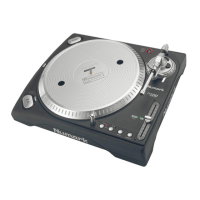
Numark TTX USB - User Manual

Numark TTX USB
48 pages
Print Icon
To Next Page IconTo Next Page
Loading...
Quick Start Owner’s Manual
ENGLISH (3-11)
Manual de inicio rápido del usuario
ESPAÑOL (12-20)
Guide d’utilisation simplifié
FRANÇAIS (21-29)
Schnellbedienungsanleitung
DEUTSCH (30-38)
Manuale rapido di utilizzazione
ITALIANO (39-47)
Question and Answer IconNeed help?

Do you have a question about the Numark TTX USB and is the answer not in the manual?

Summary

Quick Start Owners Manual

Box Contents

Quick Assembly Instructions

Connections

Details how to connect the turntable to audio equipment and a computer.

Bottom Panel Features

Voltage and Audio Connections

Covers voltage selector, RCA output, and Phono/Line selector for audio setup.

USB Audio Output

Details connecting the turntable to a computer via USB for audio.

Adjustable Feet and Handles

Explains the function of adjustable feet for leveling and handles for transport.

Tonearm Assembly

Tonearm Balancing and Cartridge Securing

Covers counterweight, S-weight, and lock nut for tonearm and cartridge setup.

Tonearm Height and Lock Adjustment

Explains adjusting tonearm height and using the lock lever.

Anti-Skate and Cueing System Operation

Details anti-skate adjustment and the tonearm cueing system for playback.

Tonearm Setup

Anti-Skate Adjustment Guide

Guidance on setting the anti-skate control for proper tracking and minimizing skipping.

General Operation Guidelines

Provides tips for optimizing turntable performance during use.

General Controls

Motor and Speed Controls

Covers power, start/stop, forward/reverse, and speed selection buttons.

Pitch and Time Adjustments

Details pitch fader, start time, and braking time adjustment controls.

Key Lock and Quartz Lock

Explains buttons for locking music key and maintaining pitch stability.

Torque and Lighting

Describes torque adjustment and the strobe target light.

Display Controls

Display Indicators Explained

Details various indicators like platter direction, pitch, BPM, and RPM.

Pitch Range and Contrast Adjustment

Covers pitch range selection and display contrast adjustment.

Key Lock and Quartz Lock Status

Explains indicators for key lock and quartz lock functions.

Time and Indicator Status

Details indicators for start time, brake time, and BPM.

Interchanging Pitch Fader and Button Cartridges

Other Important Notes

Software for Vinyl Conversion

EZ Vinyl;Tape Converter

Software for converting vinyl to digital media on PC.

EZ Audio Converter

Basic converter application for Mac OS X.

Audacity for Advanced Users

Application for advanced audio editing and processing.
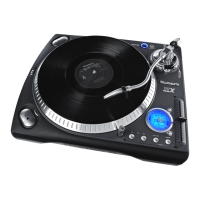
TTXUSB Specifications

Summary

Quick Start Owners Manual

Box Contents

Quick Assembly Instructions

Connections

Details how to connect the turntable to audio equipment and a computer.

Bottom Panel Features

Voltage and Audio Connections

Covers voltage selector, RCA output, and Phono/Line selector for audio setup.

USB Audio Output

Details connecting the turntable to a computer via USB for audio.

Adjustable Feet and Handles

Explains the function of adjustable feet for leveling and handles for transport.

Tonearm Assembly

Tonearm Balancing and Cartridge Securing

Covers counterweight, S-weight, and lock nut for tonearm and cartridge setup.

Tonearm Height and Lock Adjustment

Explains adjusting tonearm height and using the lock lever.

Anti-Skate and Cueing System Operation

Details anti-skate adjustment and the tonearm cueing system for playback.

Tonearm Setup

Anti-Skate Adjustment Guide

Guidance on setting the anti-skate control for proper tracking and minimizing skipping.

General Operation Guidelines

Provides tips for optimizing turntable performance during use.

General Controls

Motor and Speed Controls

Covers power, start/stop, forward/reverse, and speed selection buttons.

Pitch and Time Adjustments

Details pitch fader, start time, and braking time adjustment controls.

Key Lock and Quartz Lock

Explains buttons for locking music key and maintaining pitch stability.

Torque and Lighting

Describes torque adjustment and the strobe target light.

Display Controls

Display Indicators Explained

Details various indicators like platter direction, pitch, BPM, and RPM.

Pitch Range and Contrast Adjustment

Covers pitch range selection and display contrast adjustment.

Key Lock and Quartz Lock Status

Explains indicators for key lock and quartz lock functions.

Time and Indicator Status

Details indicators for start time, brake time, and BPM.

Interchanging Pitch Fader and Button Cartridges

Other Important Notes

Software for Vinyl Conversion

EZ Vinyl;Tape Converter

Software for converting vinyl to digital media on PC.

EZ Audio Converter

Basic converter application for Mac OS X.

Audacity for Advanced Users

Application for advanced audio editing and processing.

TTXUSB Specifications

Numark TTX USB Specifications

General IconGeneral
BrandNumark
ModelTTX USB
CategoryTurntable
LanguageEnglish

Related product manuals