7
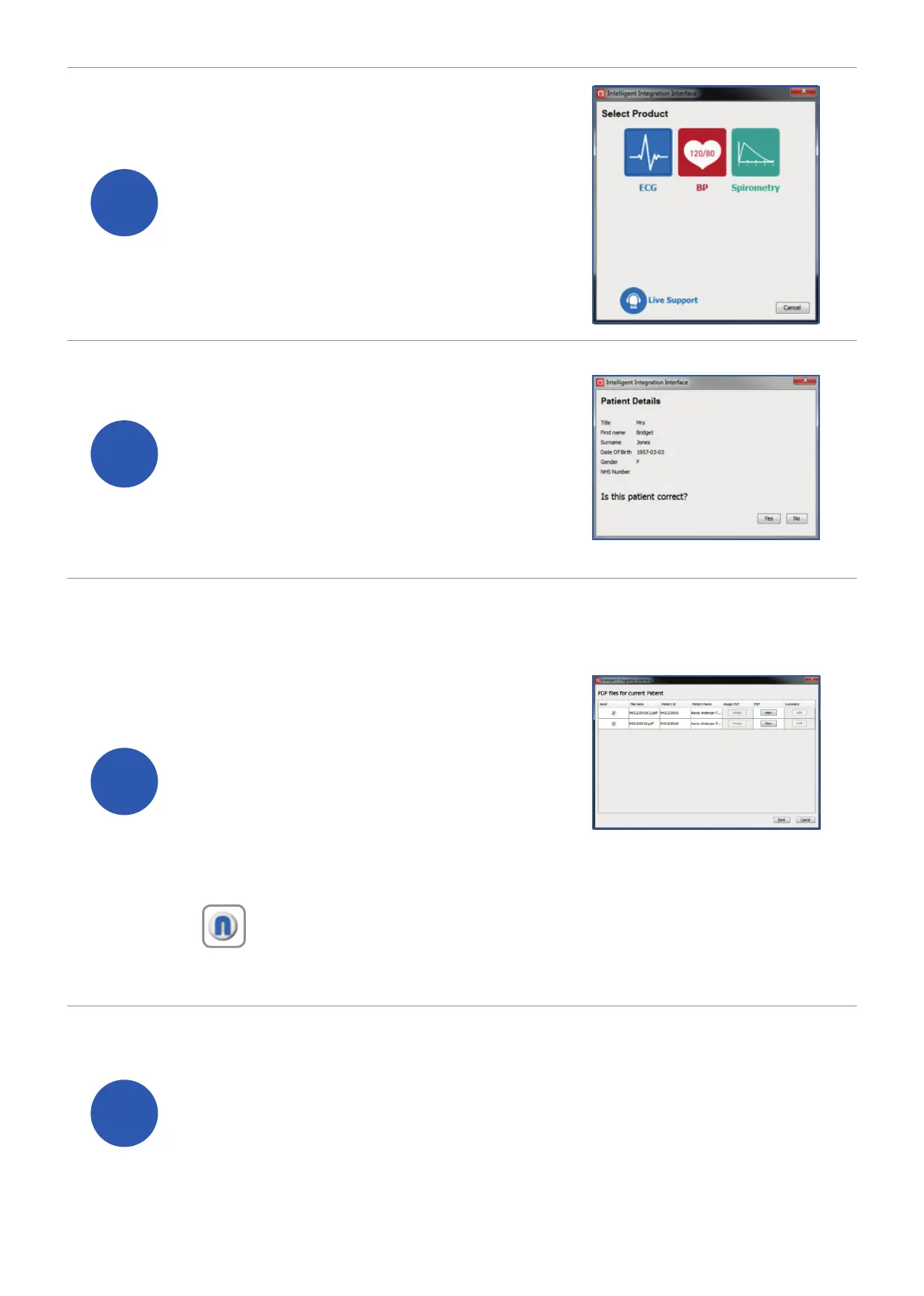
If requested, conrm the
patient’s details are correct
then click ‘Yes’.
6
Select ‘ECG’ from the product
selection screen – if you have
more than one ECG system
you may need to select
‘MAC PDF ler’.
8
You will then be presented
with a list of ECGs that are
ready to be uploaded to
the patient’s medical record.
ECGs that match the
currently selected patient
within the clinical system will
be automatically selected.
Note: Batch processing (more than one ECG) is only available
for EMIS and InPS clinical system users.
9
Selected items will be automatically transferred.
If you do not wish to upload a particular ECG,
deselect the item you wish to exclude. When you
are ready transfer the results click ‘Send’.


 To Next Page