If you experience any problems using the
MAC 600 ECG System, please contact our technical
support team on: 0114 399 0010 or visit: www.numed.co.uk/support
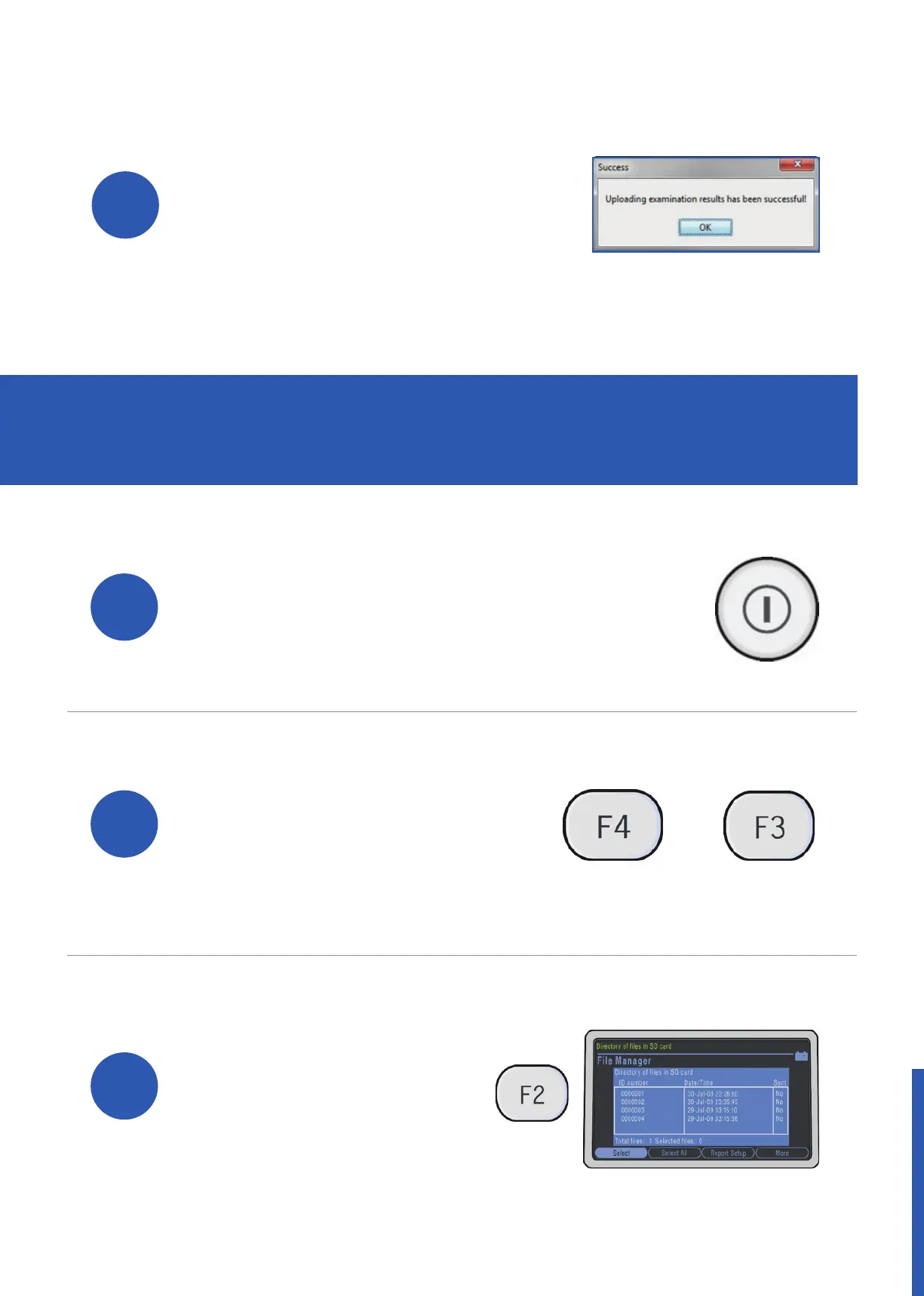
A conrmation message
will be displayed when
the ECG(s) have been
successfully uploaded to
the patient’s medical record.
Click ‘OK’ to complete the
process.
10
ADDITIONAL: HOW TO DELETE
THE CONTENTS OF YOUR SD CARD
1
Power on the MAC 600 ECG system.
Access File Manager by
pressing ‘F4’ for More and
then ‘F3’ for File Manager.
2
3
Once File Manager
has loaded, press
‘F2’ to select all ECGs.
+


 To Next Page