Need help?
Do you have a question about the NuPrime Evolution DAC and is the answer not in the manual?
Details compliance with EU directives and regulatory requirements.
Information regarding WEEE directive and proper disposal of electronic equipment.
Details the advanced power supply design for optimal audio performance.
Explains the components used in the power supply for stability and shielding.
Highlights the analog section's circuitry and user-customizable op-amps.
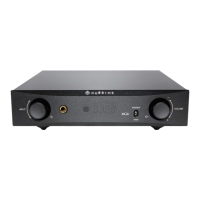
Describes the controls and indicators on the front of the device.
Details the input/output connections and ports on the rear of the DAC.
Explains the functions of each button on the included remote control.
Illustrates the display format for PCM sample rates.
Illustrates the display format for DSD sample rates.
Illustrates the display format for MQA original sample rates.
Illustrates the display format for MQA Studio sample rates.
Shows the display representation of the setup menu interface.
Allows adjustment of the sample rate for audio processing.
Options for selecting different digital filter characteristics.
Sets the output signal level to variable, fixed, or half-fix.
Allows selection between normal and inverted output phase.
Configures the assignment of left and right audio channels.
Adjusts the brightness level of the front panel display.
Option to reset the device settings to factory defaults.
Outlines consumer rights in addition to the warranty terms.
Details the two-year warranty against defects in materials and workmanship.
Instructions on how to obtain warranty service and support.
Specifies limitations and exclusions from the product warranty coverage.
 General
| Outputs | XLR, RCA |
|---|---|
| Sample Rates | PCM up to 768kHz, DSD up to DSD512 |
| Inputs | USB, Optical, Coaxial, AES/EBU |
| Output Voltage (XLR) | 4V |
| Output Voltage (RCA) | 2Vrms |
| DAC Chip | ESS Sabre ES9038PRO |

 To Next Page