EasyManua.ls Logo

Nustep T5XR - User Manual

Nustep T5XR
40 pages
Print Icon
To Next Page IconTo Next Page
Loading...
NuStep
®
T5/T5
XR
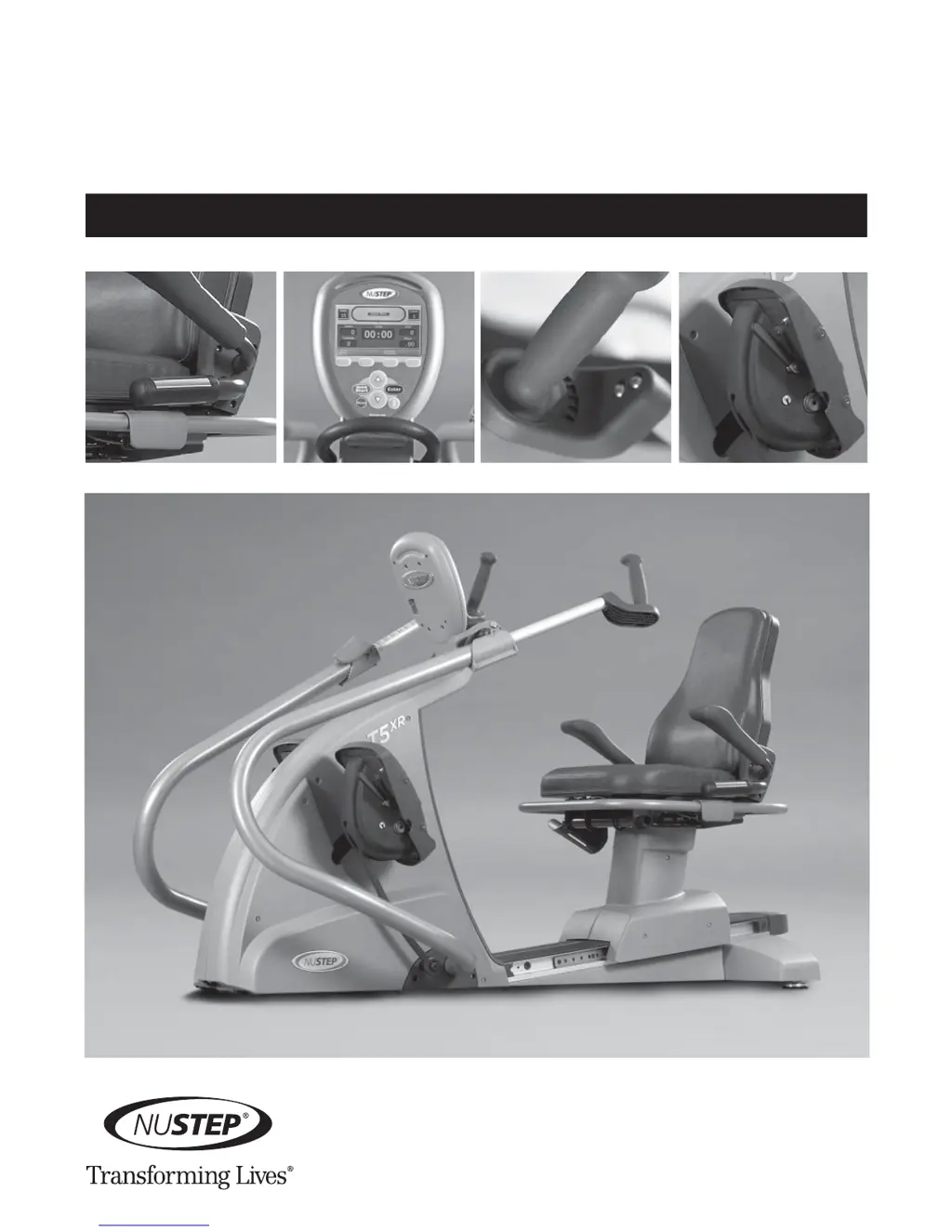
Recumbent Cross Trainer
USER M A N UA L

Other manuals for Nustep T5XR

Questions and Answers

Summary

Introduction to NuStep T5;T5 XR

Safety Instructions

Installation and Placement

Unpacking and Installation Procedures

Procedures for unpacking and installing the NuStep T5/T5XR equipment.

Equipment Placement Guidelines

Guidelines for positioning the NuStep trainer for safe and effective use.

AC Adapter Usage

Information on when and how to use the AC adapter for the NuStep trainer.

T5 Feature Overview

Getting Started (1-2-3-GO)

Adjust Seat Distance

Steps to adjust the seat distance for optimal user comfort and fit.

Adjust Seat Back Angle

Instructions for adjusting the seat back angle on the T5XR model.

Adjust Handle Distance

Guide to adjusting the arm handle distance for proper arm extension.

Adjust Arm Rotation

Steps for adjusting the arm rotation angle on the T5XR model.

Correct Riding Position

Swivel Seat Operation

Instructions on how to swivel the seat for easier access and egress.

Dorsi;Plantar Foot Pedal Operation (T5 XR Only)

Console Operation

Programs Overview

Basic Workout Programs

Overview of Quick Start, Profiles, and Pace Partner programs.

Advanced Workout Programs

Details on Target Heart Rate, Constant Speed, Constant Power, and Constant METS programs.

Exercise Protocols

Information on specific exercise protocols for clinical settings.

Home Mode and Last Workout

Feature to select and repeat previous workout sessions.

Viewing and Exporting Data

Accessing Usage Data

Navigating menus to view product and workout data.

Data Export and Statistics

Exporting data and viewing cumulative product/user statistics.

User Tracking

User Workout Records

Accessing and exporting data for the last 200 individual workouts.

Enabling User Tracking with PIN

Setting up personal identification numbers (PINs) for user data tracking.

Additional Features

On-the-fly Programming

Ability to change programs during an active workout session.

Software Update Capability

Process for upgrading the unit's software via a flash device.

Battery Saver and Low Load Options

Features for conserving battery and providing the lowest workload setting.

In-Workout Assistance

Accessing help and workout average displays during exercise.

Manager Mode

System Configuration and Defaults

Changing factory defaults, settings, and accessing diagnostic data.

Usage Data and Menus

Viewing statistics, firmware, and navigating the Usage Menu.

Preventive Maintenance

Maintenance Intervals

Recommended tasks and frequency for maintaining the NuStep trainer.

Troubleshooting Common Issues

Identifying and resolving malfunctions like heart rate sensor issues.

T5 and T5 XR Accessories

Warranty and Serial Number

T5 Warranty Information

Details on how to view or print the T5 warranty online and contact support.

Serial Number Location

Information on where to find the T5 serial number on the product and console.

Obtaining Customer Service and Parts

Technical Data

Cover Removal; Installation

Battery Replacement

Replacing 12 Volt Battery

Step-by-step guide to replacing the main 12-volt lead-acid battery.

Replacing Contact Heart Rate AA Batteries

Instructions for replacing the AA batteries for the heart rate transmitter.

Safety Notifications

EMC Tables

Electromagnetic Immunity

Manufacturer's declaration and guidance on electromagnetic immunity.

Electromagnetic Emission

Manufacturer's declaration and guidance on electromagnetic emissions.

FCC and IEC;EN Compliance

US FCC Compliance Statement

Statement regarding compliance with FCC rules for digital devices.

IEC;EN 55011 Compliance Statement

Statement regarding compliance with IEC/EN 55011 standards for ISM equipment.

Appendix A

Braking System Details

Explanation of speed dependent and independent braking resistance.

Stepping Action Range

Details on the stepping action and its range of motion.

Displayed Watts Testing Parameters

Explanation of how displayed watt values are calculated and validated.

Nustep T5XR Specifications

General IconGeneral
TypeRecumbent Cross Trainer
User Capacity1
DisplayLCD
Programs12
User Weight Capacity400 lbs
Console DisplayYes
Heart Rate MonitoringYes
PowerSelf-Generating

Related product manuals