EZ80N
n
Installation Guide
Page 5
Installation - Replace an Existing Fan
5
Install New Housing
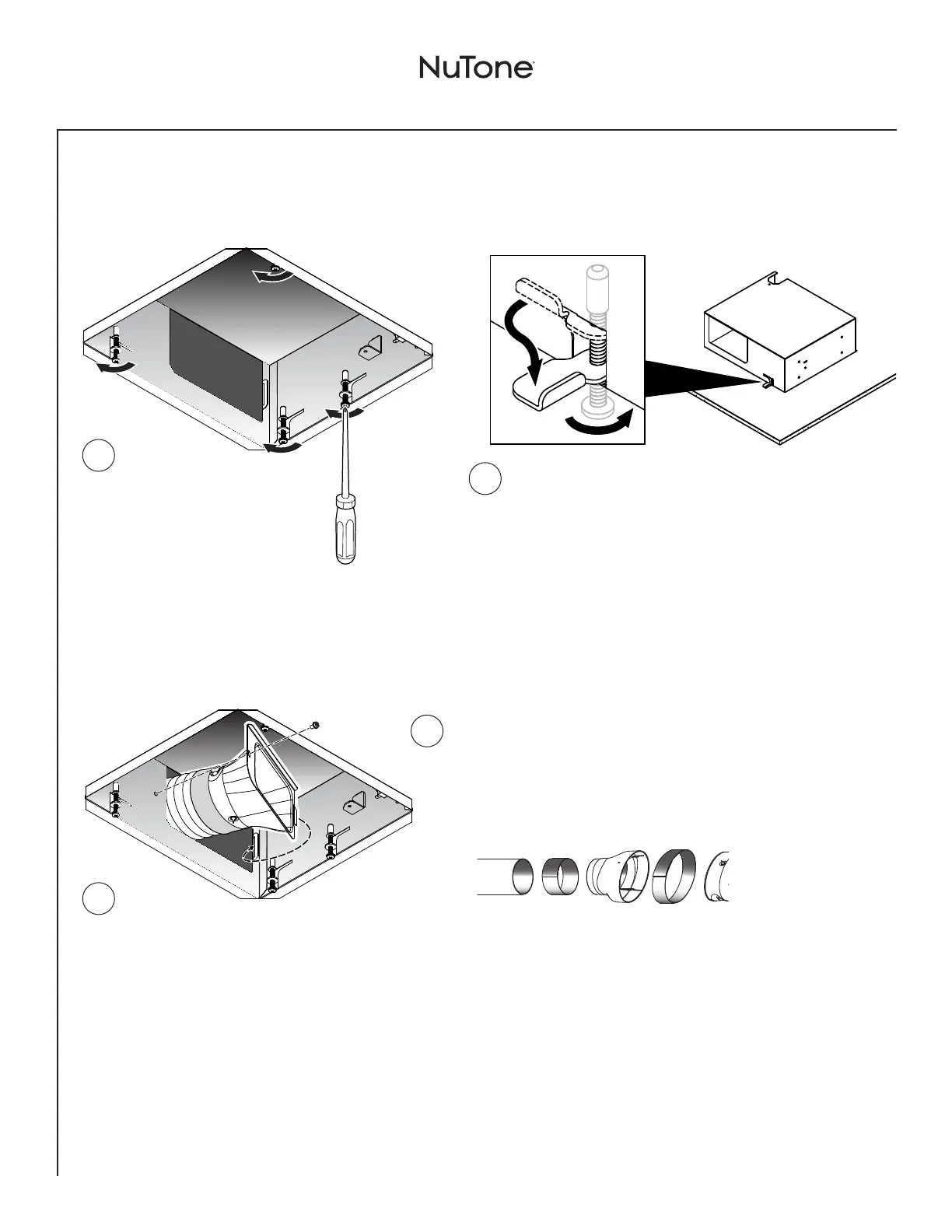
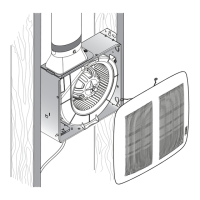
Lift new fan
housing up into
enlarged rectangle
in ceiling material.
Hold housing firmly up
against ceiling material
and carefully tighten 4
clamps with a Phillips
screwdriver.
When turned clockwise (with a Phillips screwdriver), clamps
will spin outward from housing and move downward on top of
ceiling material to properly secure housing in place. Minimum
ceiling thickness to be 1/2”.
NOTE: Do not overtighten clamps with a power driver.
Ceiling material may become deformed and prevent
proper installation.
1
Adjust 4” ductwork into housing and use duct tape
to attach it to 4” duct connector. Rigid duct may
have to be cut to fit prior to housing installation.
For 3” ductwork, use the 4” to 3” reducer (provided).
See below.
2
Put 4” duct
connector into
opening and fasten
to housing with
tab and screw
provided.
É
É
4"to3"
Reducer
(provided)
3"Ducting
Tape
Tape
4"Duct
Connector
6
Connect Ductwork
2
1


 To Next Page