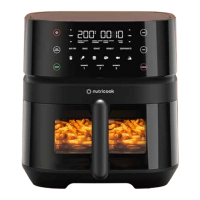
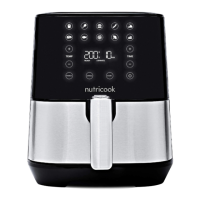
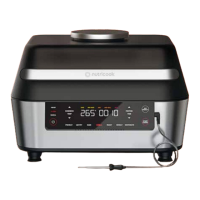
SMARTTEMP FOR FRIES
The FRIES program has our breakthrough SmartTemp Technology that
automatically adjusts the temperature halfway through the cooking program.
This program has a preset temperature of 180°C/355°F for the first half of the
cooking time that automatically changes to 200°C/390°F for the remaining
half of the cooking time.
Our unique SmartTemp Technology cooks fries at a lower temperature of
180°C/355°F for the first half of the cooking time which allows the food to be
cooked tenderly on the inside. For the second half of the cooking time, the
temperature automatically increases to 200°C/390°F which makes your fries
super crispy on the outside.
Setting Default
Adjustable
Range
Minimum Maximum Increment
AUTOMATIC
PREHEATING
SHAKE
REMINDER
Temperature 150°C 75°C-200°C 75°C 200°C +/- 5°C
YES NO
Cooking
Time
00:30 (30
minutes)
00:01 - 01:00 1 minute 1 hour +/- 1 min
BAKE
Ideal for baking cakes, muffins, brownies, and pastries.
1. Press BAKE.
2. Adjust the temperature using
the sets of arrows on the left.
3. Adjust the time using the set of
arrows on the right.
Note:
Temperature and time
adjustments can be done
during program selection or at
any point during the cooking
cycle.
4. Press START to begin. Unit
enters automatic PREHEATING
cycle.
• SKIP PREHEAT illuminates.
Display shows PRE and
preheating time counts down.
• PREHEAT status indicator
illuminates and the status bar
blinks.
• PREHEATING cycle can be
skipped using SKIP PREHEAT
button.
5. Once PREHEATING cycle is
complete, screen displays ADD
FOOD.
6. Open the basket and add food
on the air fryer basket.
7. Close the basket to begin
cooking. Unit enters COOKING
cycle.
• Time counts down until
complete.
• COOKING status indicator
illuminates and the first status
bar blinks. The status bars
progress until cooking time is
complete.
8. When the cooking time is
complete, screen displays
ENJOY.
• DONE status indicator
along with the status bar is
illuminated.
1. Press ROAST.
2. Adjust the temperature using
the sets of arrows on the left.
3. Adjust the time using the set of
arrows on the right.
Note:
Temperature and time adjustments
can be done during program
selection or at any point during the
cooking cycle.
4. Press START to begin. Unit
enters automatic PREHEATING
cycle.
• SKIP PREHEAT illuminates.
Display shows PRE and
preheating time counts down.
• PREHEAT status indicator
illuminates and the status bar
blinks.
• PREHEATING cycle can be
skipped using SKIP PREHEAT
button.
5. Once PREHEATING cycle is
complete, screen displays ADD
FOOD.
6. Open the basket and add food
on the air fryer basket.
7. Close the basket to begin
cooking. Unit enters COOKING
cycle.
• Time counts down until
complete.
• COOKING status indicator
illuminates and the first status
bar blinks. The status bars
progress until cooking time is
complete.
8. When the cooking time is
complete, screen displays
ENJOY.
• DONE status indicator
along with the status bar is
illuminated.
Setting Default
Adjustable
Range
Minimum Maximum Increment
AUTOMATIC
PREHEATING
SHAKE
REMINDER
Temperature 200°C 75°C-200°C 75°C 200°C +/- 5°C
YES NO
Cooking
Time
00:15 (15
minutes)
00:01 - 01:00 1 minute 1 hour +/- 1 min
ROAST
Ideal for cooking a variety of meats, poultry and vegetables.
1. Open the air fryer basket and
add your food then close.
2. Press REHEAT.
3. Adjust the temperature using
the sets of arrows on the left.
4. Adjust the time using the set of
arrows on the right.
Note:
Temperature and time adjustments
can be done during program
selection or at any point during the
cooking cycle.
5. Press START to begin. Unit
enters COOKING cycle.
Setting Default
Adjustable
Range
Minimum Maximum Increment
AUTOMATIC
PREHEATING
SHAKE
REMINDER
Temperature 170°C 75°C-200°C 75°C 200° C +/- 5°C
NO NO
Cooking
Time
00:10 (10
minutes)
00:01 - 01:00 1 minute 1 hour +/- 1 min
REHEAT
Ideal for reheating leftovers (such as pizza) producing a crispy result.
1716


 To Next Page
 Loading...