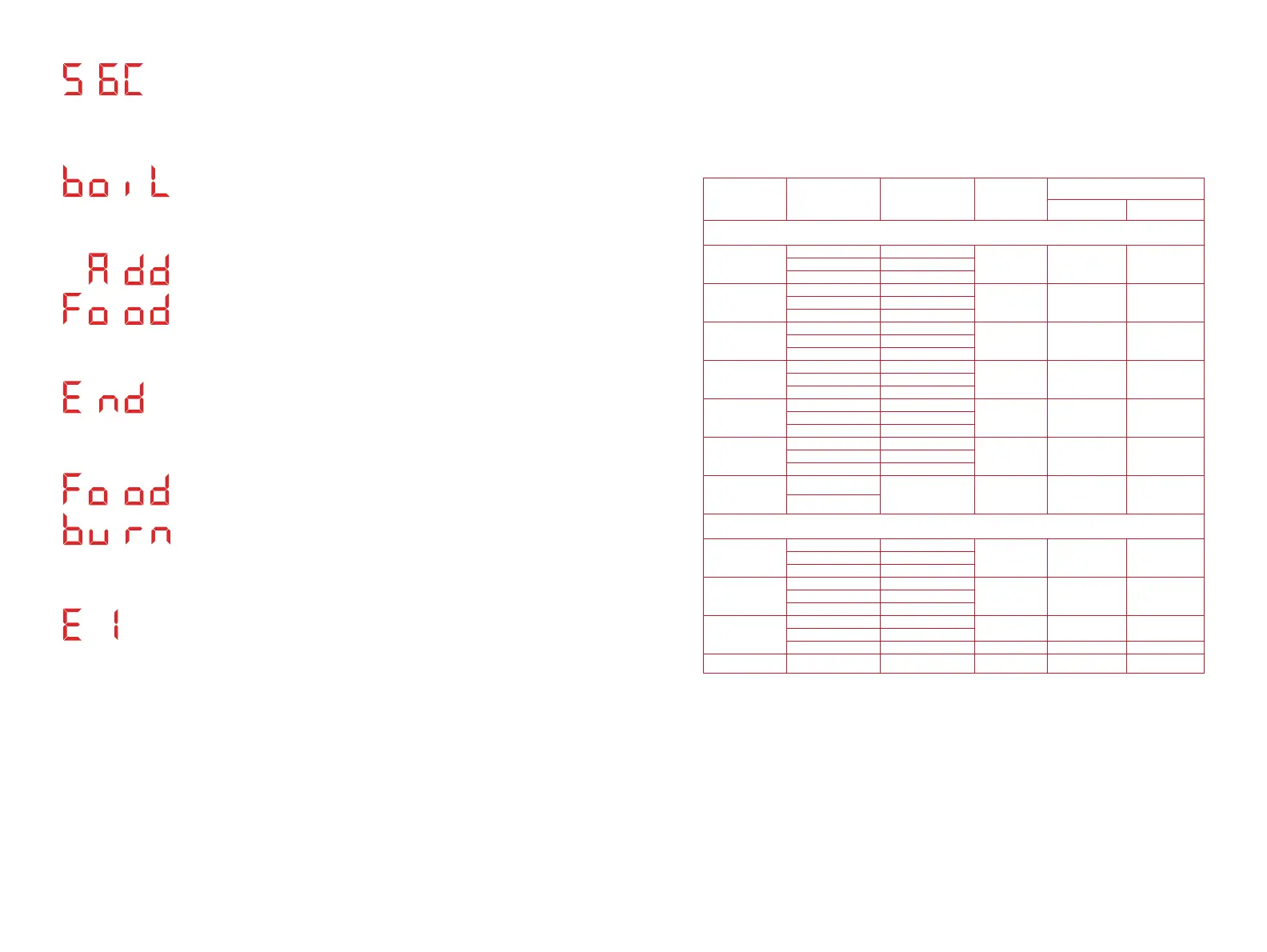
Display message when Yogurt is set to High mode.
Display message when the Smart Cooking Program
or Keep Warm time is completed.
Display message when the cooker detects
overheating in the cooking chamber. See
Troubleshooting section of this User Guide.
Display message when an error is detected. See
Troubleshooting section of this User Guide for all
error codes, their definitions and how to deal with
them.
Smart Cooking Programs
Table.
Cooking
Programs
Cooking Mode
Default Cooking
Time
Adjustable
Time Range
Time Adjustment
Hour (+/-) Minute (+/-)
Pressure Cooking Programs
Soup
Low 0:20
00:00 - 04:00 1 hour 1 minuteMed 0:30
High 4:00
Meat
Low 0:20
00:00 - 04:00 1 hour 1 minuteMed 0:35
High 0:45
Bean
Low 0:25
00:00 - 04:00 1 hour 1 minuteMed 0:30
High 0:40
Rice
Low 0:09
Not adjustable - -Med 0:12
High 0:15
Oatmeal
Low 0:03
00:00 - 04:00 1 hour 1 minuteMed 0:04
High 0:07
Steam
Low 0:03
00:00 - 04:00 1 hour 1 minuteMed 0:10
High 0:15
Pressure Cook
Low
0:10 00:00 - 04:00 1 hour 1 minute
High
Non-Pressure Cooking Programs
Slow Cook
Low 4:00
00:10 - 20:00 1 hour 10 minutesMed 4:00
High 4:00
Sauté
Low 0:10
00:01 - 00:30 - 1 minuteMed 0:10
High 0:10
Yogur t
Low 24:00
00:10 - 99:30 1 hour 10 minutes
Med 08:00
High boil Not adjustable - -
Sous Vide
- 03:00 00:10 - 99:30 1 hour 10 minutes
Display message when using Sous Vide.
Temperature unit can be switched between C and F.
It is displayed alternately with the cooking time.
Display message when maximum water
temperature for Sous Vide is reached. It will be
displayed alternately.
Note:
• For Pressure Cooking Programs, Low, Med, High refer to preset time.
• For Non-pressure Cooking Programs, Low, Med, High refer to temperature levels.
• For Pressure Cook, Low and High refer to Pressure level.
3938


 To Next Page