Need help?
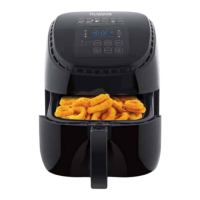
Do you have a question about the NuWave Brio 8Q and is the answer not in the manual?
Learn how to register your NuWave Brio to receive an extended warranty by scanning a QR code or visiting the website.
Instructions on downloading a QR code reader app on your mobile device to scan product codes.
Information on how to reach NuWave customer service via phone or email for assistance and inquiries.
Essential safety warnings and precautions for operating the NuWave Brio safely, covering usage, handling, and environment.
Details on electrical safety, proper use of power cords, and polarized plugs to prevent hazards.
List and visual identification of all included parts and accessories with their respective part numbers.
Step-by-step instructions for assembling and safely removing the base tray, rack, and air circulation riser.
Explanation of the purpose and operation of each button on the NuWave Brio control panel.
Overview of Reheat, Sear, Stage, and Watts functions, plus cooking time limitations based on temperature.
Initial setup, powering on/off, and using the START/PAUSE and arrow buttons for temperature and time adjustments.
Instructions on how to use the preheat function for optimal cooking and how to manage auto preheat settings.
How to select menu presets, view cooking settings, and use the warm function to keep food at temperature.
Details on using the delay start, reheat, and sear functions for flexible cooking and food preparation.
How to use the Warm function independently and program multi-stage cooking cycles for complex recipes.
Instructions for storing, recalling, and editing custom cooking presets for personalized use.
Modifying cooking stages during operation and using the Sear 1 function before cooking.
Using Sear 2, managing sound alerts, and switching between Fahrenheit and Celsius temperature units.
Guidance on cleaning the air fryer parts, silicone tabs, and proper storage procedures for longevity.
Troubleshooting common problems such as the unit not turning on, uneven cooking, or smoke generation.
Solutions for french fry cooking problems and guidance on interpreting error messages for technical issues.
Details on the manufacturer's warranty coverage, limitations, and owner's responsibilities for repairs.
Information on the dispute resolution process, including arbitration, waivers of rights, and opt-out procedures.
Specific matters not subject to arbitration and contact details for further warranty or operational questions.
A catalog of available replacement parts for the NuWave Brio, including names and images.
Detailed descriptions and corresponding part numbers for each replaceable component of the NuWave Brio.
 General
| Capacity | 8 quarts |
|---|---|
| Power | 1800 watts |
| Control Type | Digital |
| Pre-set Programs | 8 |
| Timer | Up to 60 minutes |
| Dishwasher Safe Parts | Yes |
| Non-Stick Coating | Yes |
| Cool-Touch Handle | Yes |
| Automatic Shutoff | Yes |
| Temperature Range | 100°F to 400°F |
| Cooking Functions | Air Fry, Bake, Roast, Reheat, Dehydrate |
| Basket Material | Non-stick coated metal |


 To Next Page