nuwavenow.com | 9
Wi-Fi LED Status
Pairing Mode & AP Mode
Solid Light
The OxyPure
®
is paired with the Wi-Fi and ready
to be used.
Rapid Blinking Light
The OxyPure is in Pairing Mode. The OxyPure will
remain in Pairing Mode for up to 3 minutes, or until
your device is paired.
Slow Blinking Light
The OxyPure is in AP Pairing Mode.
No Light
The OxyPure’s Wi-Fi is off.
SAVE THESE INSTRUCTIONS
To reset the OxyPure Wi-Fi, press
and hold POWER until the light
blinks rapidly.Start the process of
pairing.
If the light on your OxyPure is blinking
slower, the OxyPure is in Wi-Fi AP Pairing
Mode. To exit AP Mode and initiate the
Pairing Mode, press and hold ULTIMATE
CLEAN or until the Wi-Fi light begins
blinking rapidly.
Most routers will broadcast in 2.4GHz. If
you need help activating 2.4GHz, contact
your ISP (Internet Service Provider).
OPERATING THE OXYPURE
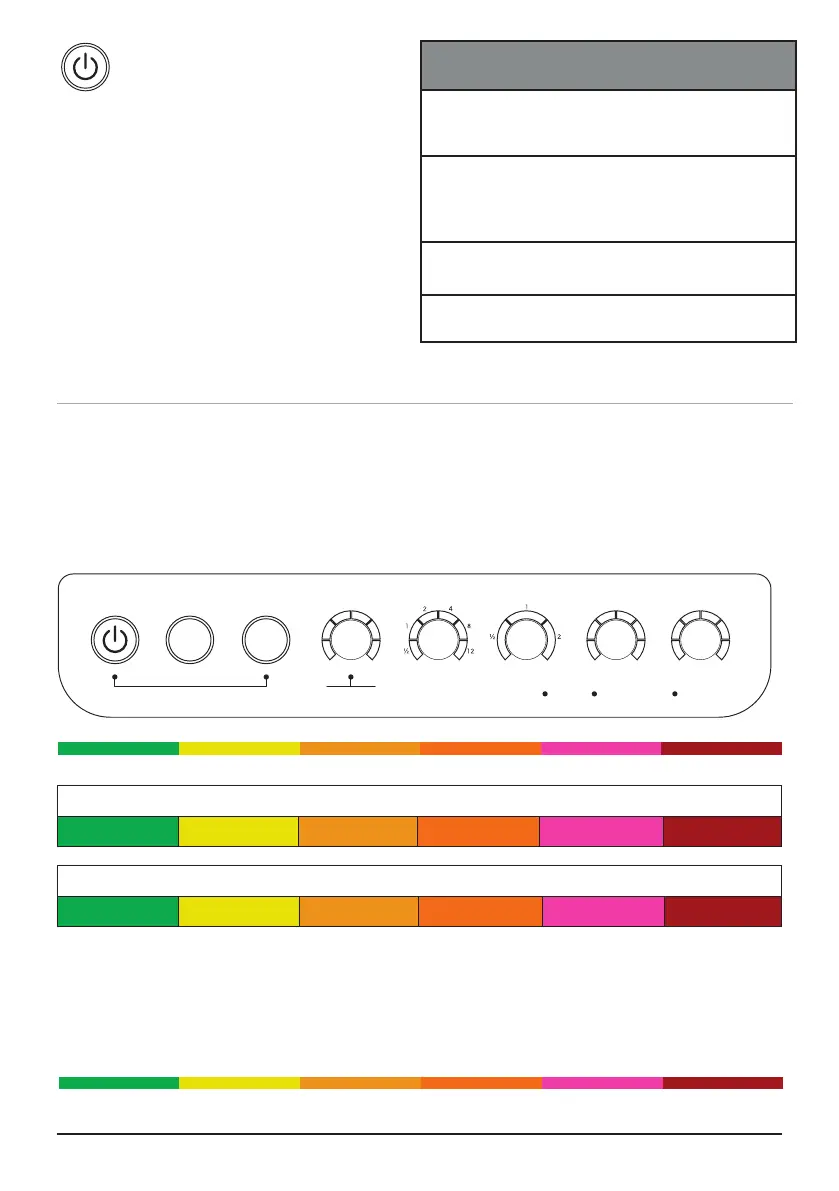
CONTROL PANEL • POWER • MODES & FUNCTIONS
Operating the OxyPure
The OxyPure’s control panel allows you to turn the unit on and off, choose an operating
mode or function (see below), and monitor your lter health.
Air/Odor Quality - Detects particles as small as 2.5/1000mm
Low PM Level High PM Level
Particulate Matter (PM) with a diameter of 2.5 microns or less
0~5 5~10 10~20 20~30 30~50 Over 50
Fan Speeds
1 2 3 4 5 6
Air and Odor LEDs
The OxyPure will display the Air/Odor quality based on the particulate matter in the air
from low to high as represented below. If the PM level in the air exceeds the upper limit of
the range, a warning is triggered with a beeping sound and a ashing LED. To turn off this
warning, press AUTO and Fan Speed at the same time. Press the same buttons to turn the
warning feature back on.
Low PM Level High PM Level
ODOR
NO
ODOR
STRONG
ODOR
REPLACE
FILTER 4
CLEAN
FILTER 2
WIFI
SLEEP MODE
AUTO
ULTIMATE
CLEAN
FAN
SPEED
TIMER TURBO
HR CLEAN DIRTY
POWER
HRHIGHLOW
ECO-FRIENDLY MODE
RESET FILTER 2
HOLD FOR 2 SECONDS
RESET FILTER 4
HOLD FOR 2 SECONDS
AIR










 To Next Page