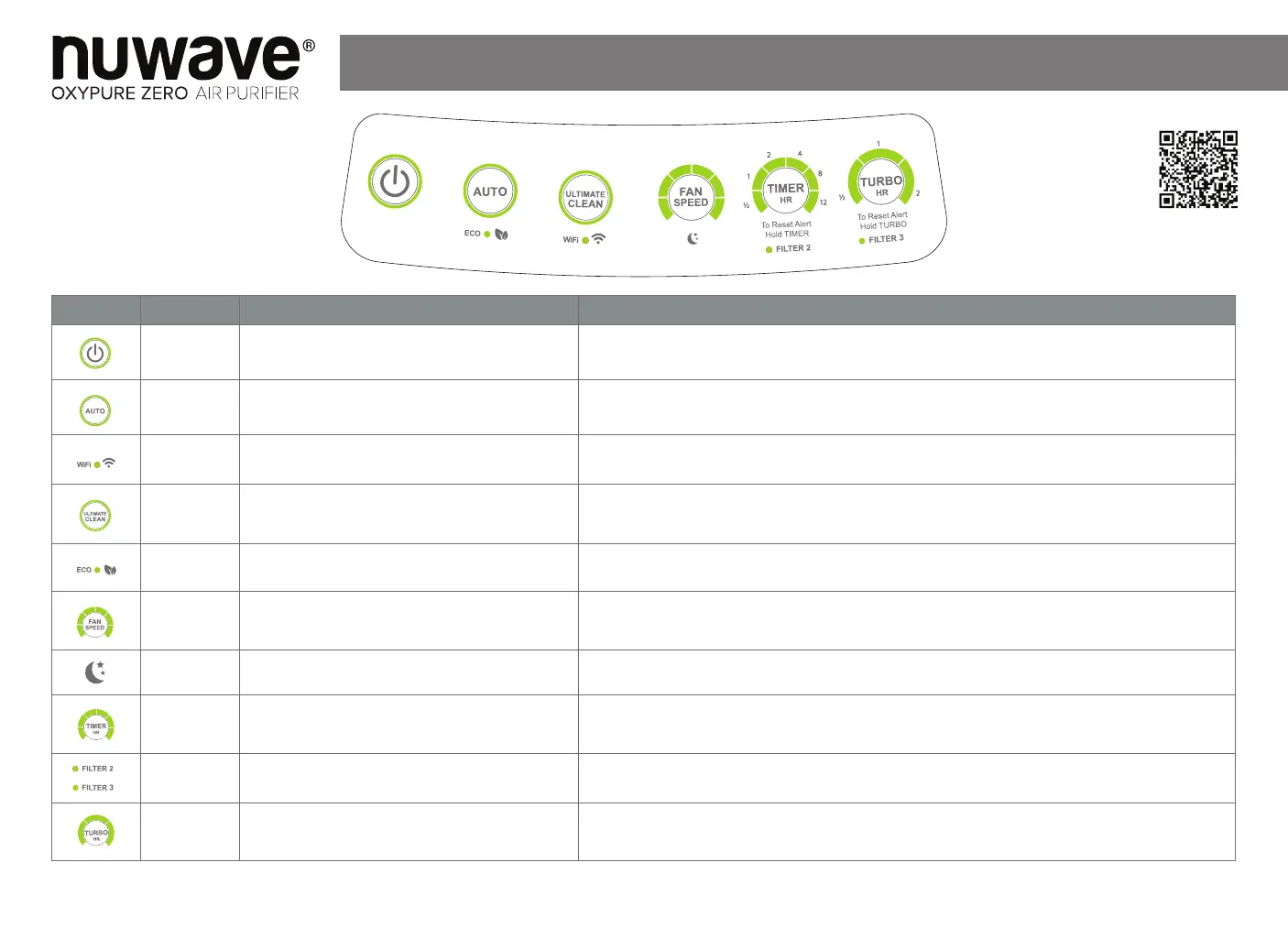
Button Name
Function Use
POWER
Turns the OxyPure on and off.
Press POWER to turn the OxyPure on and off. The Power button will be lit red when on standby
mode and green when on.
AUTO
Allows your Oxypure to automatically adjust the
fan speed.
Press AUTO then select functions. Press AUTO again to turn off the function. There is no time limit
for Auto. It cannot run with FAN SPEED and ULTIMATE CLEAN.
WIFI
Allows you to connect the OxyPure to your Wi-Fi
network.
Press and hold the ULTIMATE CLEAN button for 2 seconds to start Wi-Fi pairing. If the light turns
off, retry the pairing process.
ULTIMATE
CLEAN
Allows your Oxypure to automatically adjust to
the highest fan speed based on your air quality.
Press ULTIMATE CLEAN to activate the function. Press ULTIMATE CLEAN again to turn off the
function. (There is no time limit for Ultimate clean. It cannot run with AUTO or Fan).
ECO MODE
Allows you to save energy by keeping the
OxyPure fan off until it’s needed.
Press and hold AUTO for 2 seconds to activate Eco Mode, all lights will be off except the indicator
for ECO. Select the functions to be used. Press and hold AUTO to deactivate.
FAN SPEED
Allows you to adjust the Oxypure’s fan speed.
There are 6 different fan speeds. Press FAN SPEED to adjust from Speed 1 (lowest) to Speed 6
(highest). (Fan Speed cannot run with Auto or Turbo).
SLEEP
MODE
Allows you to turn off the control panel LED lights
while still keeping the fan active.
Select functions prior to activating Sleep Mode. Press and hold FAN SPEED for 2 seconds the unit
will beep and the function lights will turn off.
TIMER
Allows you to choose the Oxypure’s duration of
operation.
Press TIMER to select from the six different timer settings of 1/2, 1, 2, 4, 8 or 12 hours. To turn off
the function press TIMER until no bars are lit.
CLEAN
FILTER 2 & 3
Reset the clean lter 2/3 indicator light after the
lters have been cleaned and thoroughly dried.
Be sure the lters and the lter cover are secure. Press and hold TIMER or TURBO (reset 2 and 3)
for 2 seconds. The indicator light will go off.
TURBO
Allows you to operate the Oxypure at the highest
fan speed 6 for a selected amount of time.
Press TURBO to set the OxyPure to run at the highest fan speed for 1/2, 1 or 2 hours. To add more
time press TIMER. To turn off the function press TURBO until no bars are lit.
Rev.1
Customer Service: For Amazon Purchases: support@nuwavenow.com ● For All Other Purchases: help@nuwavenow.com
Scan the code to find
how-to videos and more!
®
Quick Start Guide
Model No: 47351
47361
Scan the code to watch
how-to videos and more!
Master Your OxyPure Zero










 To Next Page