Contents [ hide
1 What is TSAC?
2 Features
3 WARNING!-IMPORTANT SAFETY INSTRUCTIONS BEFORE CONNECTING, READ
INSTRUCTIONS
4 Front Panel Description
5 Connection Panel Description
6 Preset Mode & Edit Mode
7 To Create Tones
7.1 Enter Edit Mode and Edit Effect Modules
7.2 Modulation Effects Position
8 CTRL/EXP Pedal Function Setting
9 To Save User Presets
10 To Use Presets
11 Output Mode
12 Drum & Looper
12.1 Drum Machine
12.2 Looper
13 Mp3 Player
14 Tuner
15 Facto Restore
16 EXP Pedal Calibration
17 Language Setting, Version Information
18 Specifications
19 Precautions
20 Accessories
21 NUX MG-20 EFFECTS LIST
22 File Downloads
23 Related Manuals
What is TSAC?
TSAC (True Simulation of Analog Circuit) Since 1950’s, musicians have been using analog devices to create their works. Musicians love the tone of their
vintage instruments! The audio signal goes through various electronic components, such as resistors, capacitors, transistors and tubes. All these components affect each other to create the
result-TONE! TSAC Technology virtually re-constructs the real analog circuits by using DSP chips, and accurately emulates the tone and feel of the vintage instruments!
Features
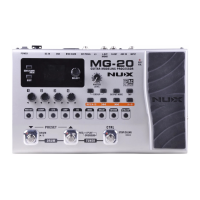
Large 2.4 Inches Color TFT LCD e CTRL Footswitch
Drum Machine and Looper
More than 60 Models
Built-in Tuner
36 Factory Presets and 36 User Presets
Effects Module Buttons for Quick Tone Editing
Various Output Modes
Expression Pedal
USB for System Updating
Copyright
Copyright 2014 Cherub Technology Co. All rights reserved. NUX and MG-20 are trademarks of Cherub Technology Co. Other product names modeled in this product are trademarks of their
respective companies that do not endorse and are not associated or affiliated with Cherub Technology Co.
Accuracy
Whilst every effort has been made to ensure the accuracy and content of this manual, Cherub Technology Co. makes no representations or warranties regarding the contents.
WARNING!-IMPORTANT SAFETY INSTRUCTIONS BEFORE CONNECTING, READ INSTRUCTIONS
WARNING: To reduce the risk of fire or electric shock, do not expose this
appliance to rain or moisture
CAUTION: To reduce the risk of fire or electric shock, do not remove screws.
No user-serviceable parts inside. Refer servicing to qualified service personnel.
CAUTION: This equipment has been tested and found to comply with the limits
for a Class B digital device pursuant to Part 15 of FCC Rules. Operation is
subject to the following two conditions: (1) This device may not cause harmful
interference, and (2) this device must accept any interference received,
including interference that may cause undesired operation
The lightning symbol within a triangle means “electrical caution!”
It indicates the presence of information about operating voltage and potential
risks of electrical shock.
The exclamation point within a triangle means “caution!” Please
read the information next to all caution signs.
1. Use only the supplied power supply or power cord. Using other power supply may cause noise or even damage!
2. Do not place near heat sources, such as radiators, heat registers, or appliances which produce heat.
3. Guard against objects or liquids entering the enclosure.
4. Do not attempt to service this product yourself, as opening or removing covers may expose you to dangerous voltage points or other risks. Refer all servicing to qualified service
personnel.


 To Next Page