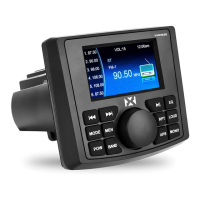
and the "Radio (AM/FM) Operation" should be emboldened
Press the BAND button to switch between FM and AM.
USB/MP3 OPERATION
Insert a USB stick (flash drive) and the unit will read the MP3 and WMA
music files automatically.
BLUETOOTH OPERATION
This unit supports Bluetooth for wireless music streaming from your
iPhone/Android or similar Bluetooth enabled device.
CONNECTION STEPS:
Press the MODE button to switch to “BT PLAY”
Make sure Bluetooth is turned on, on your device
Search for the device called “[NMPS20]” and select it (the connection
should then be automatic)
Once the unit has made a connection with your device for the first time,
it will then automatically connect to your device every time after
whenever you are in the proper range of the media center.
3


 To Next Page