EasyManua.ls Logo

Nyrius NPCS550 - User Manual

Nyrius NPCS550
17 pages
Print Icon
To Next Page IconTo Next Page
Loading...
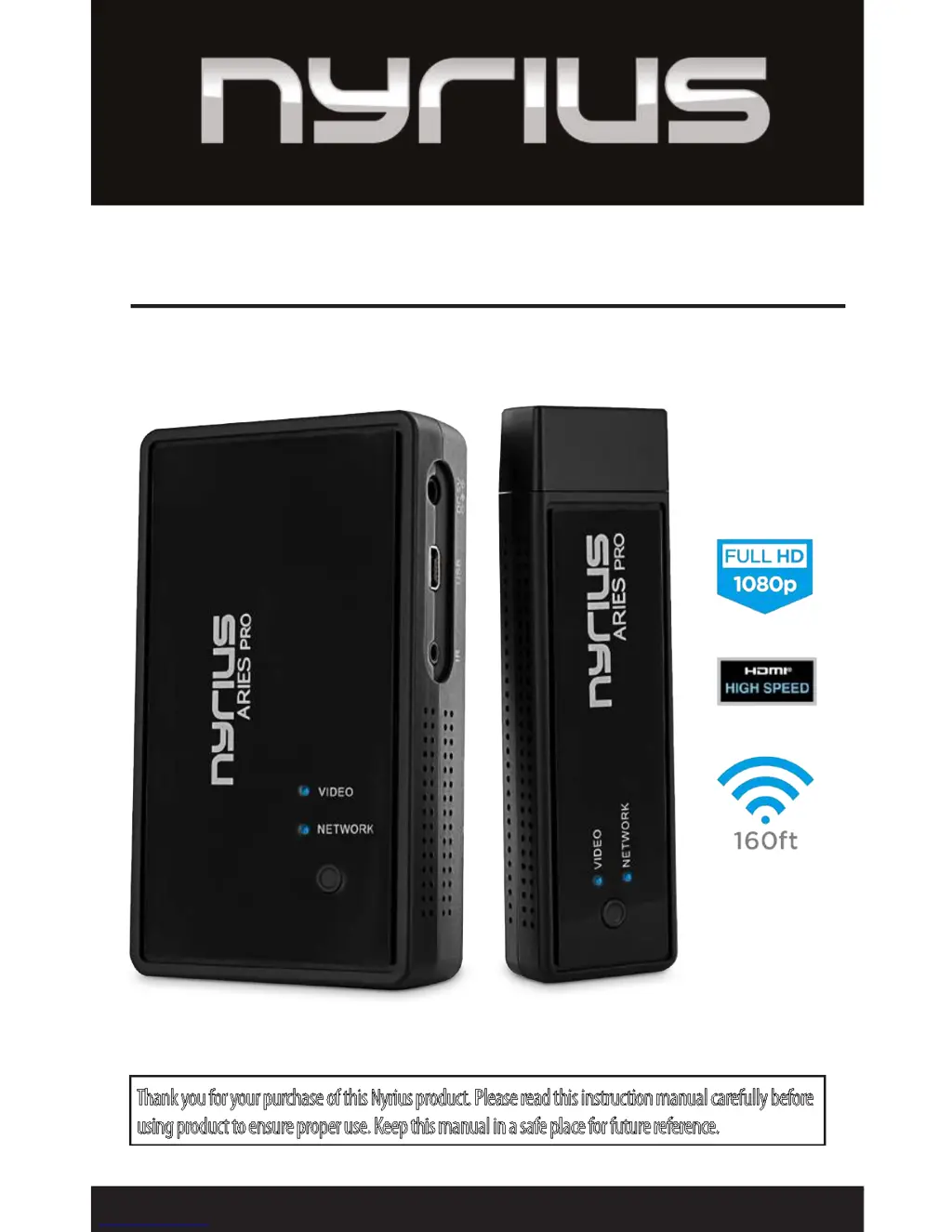
Thank you for your purchase of this Nyrius product. Please read this instruction manual carefully before
using product to ensure proper use. Keep this manual in a safe place for future reference.
USER GUIDE
ARIES™ Pro Wireless HD for Laptops
NPCS550
www.NYRIUS.com

Questions and Answers

  • J
    Jerry ObrienAug 7, 2025
    How to fix no video on my Nyrius Media Player?
    • S
      Stephen DayAug 7, 2025
      If your Nyrius Media Player isn't showing any video, several things could be the cause. First, check the Link LEDs and ensure your HD device is working correctly. Then, inspect the HDMI cable for damage and make sure it's properly connected to the correct socket. Verify that you've selected the correct HDMI output from your HD device's menu and that the HDMI cable is plugged into the right output socket. Also, confirm that the correct HDMI input is selected on your TV menu and that the HDMI cable is connected to the selected input socket. Finally, ensure the Receiver is connected to the HDTV display and the Transmitter to your HD device.
  • C
    Charlene DicksonAug 11, 2025
    Why is the picture quality bad on my Nyrius Media Player?
    • E
      Ellen Sanders MDAug 11, 2025
      If you are getting a bad picture with your Nyrius Media Player, make sure the HDMI cables are undamaged. Try connecting the source directly to the display with an HDMI cable to confirm the cable's integrity. Ensure that nothing is touching or blocking the signal to the built-in antennas. You might also want to move the Transmitter and Receiver closer together. As a last resort, restart the HD device or reconnect the HDMI cable.
  • A
    Andrew PriceAug 15, 2025
    What to do if the Network LED flashes on Nyrius NPCS550?
    • T
      timothy89Aug 16, 2025
      If the Network LED on your Nyrius Media Player is flashing, it could be due to the distance between the Transmitter and Receiver. Try moving them closer together to ensure they are within the effective range. Also, make sure the HD device is switched on and connected to the Receiver.
  • C
    clayton69Aug 19, 2025
    How to troubleshoot bad audio or no audio on Nyrius NPCS550?
    • B
      Brian BairdAug 20, 2025
      If you're experiencing bad or no audio with your Nyrius Media Player, first ensure that the source is outputting supported audio formats. If the audio signal drops out, try restarting the audio source and reconnecting the HDMI cable. Also, keep in mind that having a 5.8GHz wireless phone within 50cm of the Receiver could cause interference, as some phones use substandard transmission schemes.
  • D
    Dr. Debra BradyAug 25, 2025
    What does it mean when the Video LED is off on my Nyrius NPCS550?
    • T
      thompsoncassandraAug 25, 2025
      If the Video LED is OFF on your Nyrius Media Player, start by ensuring that the HD device is powered on. Also, verify that the HD device is connected to the HDMI socket and outputting a supported resolution, as the Video LED will switch OFF if an unsupported video signal is output. It is possible that part of the system is not properly connected, or the signal received is not of good enough quality/strength. Make sure the HD display is connected, switched ON, and set to the right channel/input (e.g., HDMI channel). Finally, check that the HDMI cable is undamaged and plugged into the correct socket.
  • S
    sreyesAug 28, 2025
    Why is the power LED off on my Nyrius Media Player?
    • D
      David DiazAug 28, 2025
      If the Power LED on your Nyrius Media Player is OFF, ensure that the power is connected. Check that the power adapter output to the Receiver is 5V/2A DC.
  • G
    Gary GutierrezSep 1, 2025
    What to do if I have other issues with my Nyrius NPCS550 Media Player?
    • E
      Erin HuntSep 1, 2025
      If you encounter any other or unresolved issues with your Nyrius Media Player, try disconnecting both the Transmitter and Receiver and repeating the link setup process.

Nyrius NPCS550 Specifications

General IconGeneral
ModelNPCS550
CategoryMedia Player
Input ResolutionUp to 1080p
Output ResolutionUp to 1080p
LatencyLess than 1 ms
Audio SupportYes
Supported Digital Audio StandardsDolby Digital, DTS
ConnectivityHDMI, USB
Card ReaderNo
Video OutputHDMI
Audio OutputHDMI
SD Card SlotNo
Power Supply5V DC
Wireless Range100 feet
Supported Digital Video StandardsHDMI
Supported Image FormatsJPEG, PNG
USB PortYes