8
EN
Multimedia and My les
Instrucon Guide
Image, Video and Sound recordings
Store images, videos and sound recordings using an external SD card.
You can upload images to the SD card that you can use as Contact
prole pictures or phone wallpapers (only PNG and JPG les can be
used for wallpapers). To create a sound recording, an SD card with
available storage space must be inserted into the phone.
FM Radio
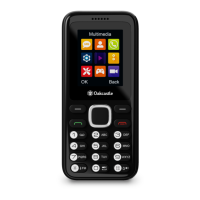
To use the FM Radio, navigate to FM radio from the home screen (select
‘Multimedia’ or ‘FM Radio’).
Change volume: Press up/down on the navigation key (Ref.)
Scan to next radio station with good signal: Press left/right on the
navigation key (Ref.).
Auto search and save: Select ‘Auto search and save’ from options. The
phone will automatically scan for stations with a good signal and save
them to the Channel list.
Channel list: View a list of your saved stations.
Save: Save a station to your Channel list.
Manual search: Manually enter the frequency of the station you wish to
listen to.
Open speaker: Loudspeaker enabled
Background play: Set the radio to play in the background.
Record: Make a recording of a broadcast.
Scheduled Record: Set a recording to start at a particular time.
Record le list: View a list of your recordings.
Help: Advice on using headphones with the phone.


 To Next Page